
Business Analysis Training Classes in Wilmington, North Carolina
Learn Business Analysis in Wilmington, NorthCarolina and surrounding areas via our hands-on, expert led courses. All of our classes either are offered on an onsite, online or public instructor led basis. Here is a list of our current Business Analysis related training offerings in Wilmington, North Carolina: Business Analysis Training
Business Analysis Training Catalog
Course Directory [training on all levels]
- .NET Classes
- Agile/Scrum Classes
- AI Classes
- Ajax Classes
- Android and iPhone Programming Classes
- Azure Classes
- Blaze Advisor Classes
- C Programming Classes
- C# Programming Classes
- C++ Programming Classes
- Cisco Classes
- Cloud Classes
- CompTIA Classes
- Crystal Reports Classes
- Data Classes
- Design Patterns Classes
- DevOps Classes
- Foundations of Web Design & Web Authoring Classes
- Git, Jira, Wicket, Gradle, Tableau Classes
- IBM Classes
- Java Programming Classes
- JBoss Administration Classes
- JUnit, TDD, CPTC, Web Penetration Classes
- Linux Unix Classes
- Machine Learning Classes
- Microsoft Classes
- Microsoft Development Classes
- Microsoft SQL Server Classes
- Microsoft Team Foundation Server Classes
- Microsoft Windows Server Classes
- Oracle, MySQL, Cassandra, Hadoop Database Classes
- Perl Programming Classes
- Python Programming Classes
- Ruby Programming Classes
- SAS Classes
- Security Classes
- SharePoint Classes
- SOA Classes
- Tcl, Awk, Bash, Shell Classes
- UML Classes
- VMWare Classes
- Web Development Classes
- Web Services Classes
- Weblogic Administration Classes
- XML Classes
- RED HAT ENTERPRISE LINUX AUTOMATION WITH ANSIBLE
9 November, 2026 - 12 November, 2026 - AWS Certified Machine Learning: Specialty (MLS-C01)
2 November, 2026 - 6 November, 2026 - DOCKER WITH KUBERNETES ADMINISTRATION
30 November, 2026 - 4 December, 2026 - ASP.NET Core MVC, Rev. 8.0
19 October, 2026 - 20 October, 2026 - OPENSHIFT ADMINISTRATION
19 October, 2026 - 21 October, 2026 - See our complete public course listing
Blog Entries publications that: entertain, make you think, offer insight
.NET is a highly popular programming language from Microsoft that continues to rock the IT industry since its inception almost twelve years ago. Simply stated, it is a development framework comprising of multiple modules that helps in creating Web Applications, Windows Applications as well as Mobile Applications. The demand for .NET programmers saw a definite surge in the last decade - thanks to the evolution of the smart phones.
Listed below are some of the recent and prevalent aspects of .Net
ASP .NET - Web API
Microsoft considers Web AP I as the future of ASP .NET. The world of web is heading towards a simpler, lightweight, REST based services. Web API makes it possible with the ASP.NET MVC without the heavy lifting that WCF requires. jQuery could be utilized for displaying results in front end of the page as shown in the example in Microsoft site.
It is said that spoken languages shape thoughts by their inclusion and exclusion of concepts, and by structuring them in different ways. Similarly, programming languages shape solutions by making some tasks easier and others less aesthetic. Using F# instead of C# reshapes software projects in ways that prefer certain development styles and outcomes, changing what is possible and how it is achieved.
F# is a functional language from Microsoft's research division. While once relegated to the land of impractical academia, the principles espoused by functional programming are beginning to garner mainstream appeal.
As its name implies, functions are first-class citizens in functional programming. Blocks of code can be stored in variables, passed to other functions, and infinitely composed into higher-order functions, encouraging cleaner abstractions and easier testing. While it has long been possible to store and pass code, F#'s clean syntax for higher-order functions encourages them as a solution to any problem seeking an abstraction.
F# also encourages immutability. Instead of maintaining state in variables, functional programming with F# models programs as a series of functions converting inputs to outputs. While this introduces complications for those used to imperative styles, the benefits of immutability mesh well with many current developments best practices.
For instance, if functions are pure, handling only immutable data and exhibiting no side effects, then testing is vastly simplified. It is very easy to test that a specific block of code always returns the same value given the same inputs, and by modeling code as a series of immutable functions, it becomes possible to gain a deep and highly precise set of guarantees that software will behave exactly as written.
Further, if execution flow is exclusively a matter of routing function inputs to outputs, then concurrency is vastly simplified. By shifting away from mutable state to immutable functions, the need for locks and semaphores is vastly reduced if not entirely eliminated, and multi-processor development is almost effortless in many cases.
Type inference is another powerful feature of many functional languages. It is often unnecessary to specify argument and return types, since any modern compiler can infer them automatically. F# brings this feature to most areas of the language, making F# feel less like a statically-typed language and more like Ruby or Python. F# also eliminates noise like braces, explicit returns, and other bits of ceremony that make languages feel cumbersome.
Functional programming with F# makes it possible to write concise, easily testable code that is simpler to parallelize and reason about. However, strict functional styles often require imperative developers to learn new ways of thinking that are not as intuitive. Fortunately, F# makes it possible to incrementally change habits over time. Thanks to its hybrid object-oriented and functional nature, and its clean interoperability with the .net platform, F# developers can gradually shift to a more functional mindset while still using the algorithms and libraries with which they are most familiar.
Related F# Resources:
Information Technology is one of the most dynamic industries with new technologies surfacing frequently. In such a scenario, it can get intimidating for information technology professionals at all levels to keep abreast of the latest technology innovations worth investing time and resources into.
It can therefore get daunting for entry and mid-level IT professionals to decide which technologies they should potentially be developing skills. However, the biggest challenge comes for senior information technology professionals responsible for driving the IT strategy in their organizations.
It is therefore important to keep abreast of the latest technology trends and get them from reputable sources. Here are some of the ways to keep on top of the latest trends in Information Technology.
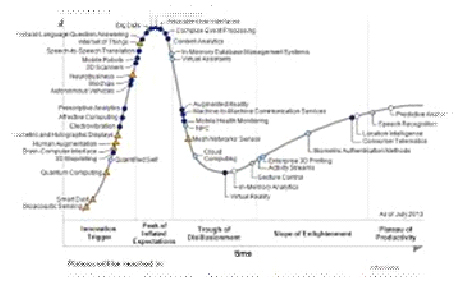
· Subscribe to leading Analyst Firms: If you work for a leading IT organization, chances are that you already have subscription to leading IT analyst firms notably Gartner and Forrester. These two firms are some of the most recognized analyst firms with extensive coverage on almost every enterprise technology including hardware and software. These Analyst firms frequently publish reports on global IT spending and trends that are based on primary research conducted on vendors and global CIOs & CTOs. However, subscription to these reports is very expensive and if you are a part of a small organization you may have issues securing access to these reports. One of the most important pieces of research published by these firms happens to be the Gartner Hype Cycle which plots leading technologies and their maturity curve.Even if you do not have access to Gartner research, you can hack your way by searching for “Gartner Hype Cycle” on Google Images and you will in most cases be able to see the plots similar to the one below
A string in Python is enclosed in either single or double quotes. Therefore, either one does the trick. A common practice is to place single words with no characters that can be interpolated in single quotes and multi-word strings that contain interpolated characters in double quotes. This may be a carry over from Perl where interpolated characters are in double quotes.
If you do not want to interpolate a string, use a raw string ... r"\n". With the exception of the last print statement, each of the print statements prints hello on a separate line from how are you?. They are great for regular expressions.
Finally, triple double quotes """ some message about a function or class ... """ are used for docstrings.
print "hello \n how are you?"
print 'hello \n how are you?'
print r"hello \n how are you?"
Tech Life in North Carolina
| Company Name | City | Industry | Secondary Industry |
|---|---|---|---|
| Branch Banking and Trust / BBandT | Winston Salem | Financial Services | Banks |
| UTC Aerospace Systems | Charlotte | Manufacturing | Aerospace and Defense |
| R.J. Reynolds Tobacco Company | Winston Salem | Manufacturing | Manufacturing Other |
| Family Dollar Stores, Inc. | Matthews | Retail | Department Stores |
| Duke Energy Corporation | Charlotte | Energy and Utilities | Gas and Electric Utilities |
| Lowe's Companies, Inc. | Mooresville | Retail | Hardware and Building Material Dealers |
| Nucor Corporation | Charlotte | Manufacturing | Metals Manufacturing |
| VF Corporation | Greensboro | Manufacturing | Textiles, Apparel and Accessories |
| Bank of America | Charlotte | Financial Services | Banks |
| Laboratory Corporation of America | Burlington | Healthcare, Pharmaceuticals and Biotech | Diagnostic Laboratories |
| Sonic Automotive, Inc. | Charlotte | Retail | Automobile Dealers |
| SPX Corporation | Charlotte | Manufacturing | Tools, Hardware and Light Machinery |
| The Pantry, Inc. | Cary | Retail | Gasoline Stations |
training details locations, tags and why hsg
The Hartmann Software Group understands these issues and addresses them and others during any training engagement. Although no IT educational institution can guarantee career or application development success, HSG can get you closer to your goals at a far faster rate than self paced learning and, arguably, than the competition. Here are the reasons why we are so successful at teaching:
- Learn from the experts.
- We have provided software development and other IT related training to many major corporations in North Carolina since 2002.
- Our educators have years of consulting and training experience; moreover, we require each trainer to have cross-discipline expertise i.e. be Java and .NET experts so that you get a broad understanding of how industry wide experts work and think.
- Discover tips and tricks about Business Analysis programming
- Get your questions answered by easy to follow, organized Business Analysis experts
- Get up to speed with vital Business Analysis programming tools
- Save on travel expenses by learning right from your desk or home office. Enroll in an online instructor led class. Nearly all of our classes are offered in this way.
- Prepare to hit the ground running for a new job or a new position
- See the big picture and have the instructor fill in the gaps
- We teach with sophisticated learning tools and provide excellent supporting course material
- Books and course material are provided in advance
- Get a book of your choice from the HSG Store as a gift from us when you register for a class
- Gain a lot of practical skills in a short amount of time
- We teach what we know…software
- We care…