
Microsoft Windows Server Training Classes in Bridgeport, Connecticut
Learn Microsoft Windows Server in Bridgeport, Connecticut and surrounding areas via our hands-on, expert led courses. All of our classes either are offered on an onsite, online or public instructor led basis. Here is a list of our current Microsoft Windows Server related training offerings in Bridgeport, Connecticut: Microsoft Windows Server Training
Microsoft Windows Server Training Catalog
Course Directory [training on all levels]
- .NET Classes
- Agile/Scrum Classes
- AI Classes
- Ajax Classes
- Android and iPhone Programming Classes
- Azure Classes
- Blaze Advisor Classes
- C Programming Classes
- C# Programming Classes
- C++ Programming Classes
- Cisco Classes
- Cloud Classes
- CompTIA Classes
- Crystal Reports Classes
- Data Classes
- Design Patterns Classes
- DevOps Classes
- Foundations of Web Design & Web Authoring Classes
- Git, Jira, Wicket, Gradle, Tableau Classes
- IBM Classes
- Java Programming Classes
- JBoss Administration Classes
- JUnit, TDD, CPTC, Web Penetration Classes
- Linux Unix Classes
- Machine Learning Classes
- Microsoft Classes
- Microsoft Development Classes
- Microsoft SQL Server Classes
- Microsoft Team Foundation Server Classes
- Microsoft Windows Server Classes
- Oracle, MySQL, Cassandra, Hadoop Database Classes
- Perl Programming Classes
- Python Programming Classes
- Ruby Programming Classes
- SAS Classes
- Security Classes
- SharePoint Classes
- SOA Classes
- Tcl, Awk, Bash, Shell Classes
- UML Classes
- VMWare Classes
- Web Development Classes
- Web Services Classes
- Weblogic Administration Classes
- XML Classes
- RED HAT ENTERPRISE LINUX SYSTEMS ADMIN II
2 November, 2026 - 5 November, 2026 - RED HAT ENTERPRISE LINUX AUTOMATION WITH ANSIBLE
9 November, 2026 - 12 November, 2026 - RED HAT ENTERPRISE LINUX SYSTEMS ADMIN I
7 December, 2026 - 11 December, 2026 - AWS Certified Machine Learning: Specialty (MLS-C01)
2 November, 2026 - 6 November, 2026 - DOCKER WITH KUBERNETES ADMINISTRATION
30 November, 2026 - 4 December, 2026 - See our complete public course listing
Blog Entries publications that: entertain, make you think, offer insight
Unless you have a great product, service or idea for which people are willing to wait, chances are highly likely that these potential clients will leave your website should your response time take too long to their incoming requests. Ignore your application’s performance and you are more likely to be dumped by your users sooner than expected.

To improve the performance of an ASP.Net application you need to optimize your front-end UI (user interface) code as well as the back-end database. You can also think of the following tips as a brief best practices guide for the ASP.net performance optimization. So, whether you are a developer, UI designer or member of the deployment team, the following tips may help you. No matter what’s your role in the project or what you do to boost performance of your application, always remember that your goal should be to:
· Minimize the amount of data you sent across the network.
· Reduce the number of server requests.
Here you go (in no particular order)
At Database level
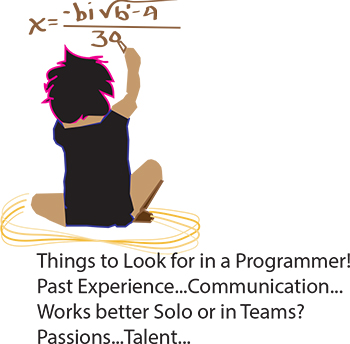 It’s the eternal conundrum of a hiring manager – you have to hire for every single position in the company without any first-hand experience. How to do it? If you can have a trusted programmer sit in on the interview, that’s ideal, of course. But what if you’re hiring your first programmer? Or what if you’re hiring a freelancer? Or what if company policy dictates that you’re the only person allowed to do the interviewing? Well, in that case, you need some helpful advice and your innate bullshit detector. We questioned programmers and hiring managers and compiled a list of dos and don’ts. Here are some things to ask when interviewing programmers:
Past Experience
Ask the programmer about the biggest disaster of his career so far, and how he handled it. Did he come in at midnight to fix the code? Was he unaware of the problem until someone brought it up? Did someone else handle it? According to our programmer sources, “Anyone worth their salt has caused a major meltdown. If they say they haven’t, they’re lying. Or very, very green.” Pushing a code with bugs in it isn’t necessarily bad. Not handling it well is bad.
As usual, your biggest asset is not knowing the field, it is knowing people. Asking about career disasters can be uncomfortable, but if the interviewee is experienced and honest then she won’t have a problem telling you about it, and you will get an idea of how she handles mishaps. Even if you don’t understand what the disaster was or how it was fixed, you should be able to tell how honest she’s being and how she handles being put on the spot.
The job market is extremely tight these days, with several qualified workers being available for each empty position. That means that should you find yourself looking for work, for whatever reason, you need to make sure your interview skills are up to snuff. We will be taking a look at a variety of different tips that will help ensure your success during the interview process, including how to make sure your employers know about your C training experience. Here are some others:
- Do your own research in advance – Before you even step through the doorway to initiate the application process with a company, you should already know quite a bit about it. Investigate the corporate culture, speak with contacts who have experience with the firm, or search online; however you do it, having as much information as possible can really help you get an advantage during the hiring process. If you have specific experience, such as C training, that is of exceptional value to the firm you are applying to you can market yourself more effectively to the hiring agent.
- Dress Appropriately – In a perfect world, programming skill and experience such as C training should be the only factors in consideration when looking at a prospective hire; in real life this is often not the case. Don’t miss out because you gave a bad impression to someone, and strive to look your absolute best during your job interview. It is unfortunate, but the IT industry in particular tends to have a reputation for lacking in this department, so breaking the mold can be of great benefit to you.
- Be ready to interview at all times – You may be surprised how often job candidates are asked to participate in an off-the-cuff phone interview on the spot. Same-day in person interviews also are rising in popularity. Make sure you are always able to respond quickly if these situations come up and you get a fast interview. Memorize a few points in advance you can use to pump yourself up, such as an anecdote about your C training or other particular skills you may possess.
Job interviews are notoriously stressful for many people. Using simple tips like these can help you to prepare in advance for situations you may encounter during the interview process, and help you ultimately secure that new job. Make sure to emphasize whatever makes you special as an individual, such as your extensive C training.
C# PROGRAMMING –MAIN DESIGN GOALS
C# is a popular programming language these days, and it was designed from inception to provide a simple, clean, general purpose programming language for those intending to work within the confines of Microsoft’s .NET framework. Since then, it has been approved as one of the standard languages by both ECMA and ISO, making C# programming an essential tool in every programmers’ kit.
Different languages have different uses and specialties, and C# was designed for programmers to be able to use it to create different components for use in software that would be deployed and distributed en masse, to live use environments. This means that designers had to really put an emphasis on making the actual source code extremely compatible and portable. Those already familiar with C or C++ should definitely notice this emphasis.
Another particular point of emphasis during design was focus on internationalization of the language; it was intended from inception to be available all over the world, and to see all sorts of different implementations based on variance in regional programming technique. The resultant use should help the language develop sophistication as it is refined throughout different versions.
Tech Life in Connecticut
| Company Name | City | Industry | Secondary Industry |
|---|---|---|---|
| Stanley Black and Decker, Inc. | New Britain | Manufacturing | Tools, Hardware and Light Machinery |
| EMCOR Group, Inc. | Norwalk | Energy and Utilities | Energy and Utilities Other |
| The Hartford Financial Services Group Inc. | Hartford | Financial Services | Insurance and Risk Management |
| Crane Co. | Stamford | Manufacturing | Tools, Hardware and Light Machinery |
| Cenveo. Inc. | Stamford | Business Services | Business Services Other |
| Amphenol Corporation | Wallingford | Computers and Electronics | Semiconductor and Microchip Manufacturing |
| W. R. Berkley Corporation | Greenwich | Financial Services | Insurance and Risk Management |
| Silgan Holdings Inc. | Stamford | Manufacturing | Manufacturing Other |
| Hubbell Incorporated | Shelton | Manufacturing | Concrete, Glass, and Building Materials |
| IMS Health Incorporated | Danbury | Business Services | Management Consulting |
| CIGNA Corporation | Hartford | Financial Services | Insurance and Risk Management |
| Chemtura Corp. | Middlebury | Manufacturing | Chemicals and Petrochemicals |
| Harman International Industries, Inc | Stamford | Computers and Electronics | Audio, Video and Photography |
| United Rentals, Inc. | Greenwich | Real Estate and Construction | Construction Equipment and Supplies |
| The Phoenix Companies, Inc. | Hartford | Financial Services | Investment Banking and Venture Capital |
| Magellan Health Services, Inc. | Avon | Healthcare, Pharmaceuticals and Biotech | Healthcare, Pharmaceuticals, and Biotech Other |
| Terex Corporation | Westport | Manufacturing | Heavy Machinery |
| Praxair, Inc. | Danbury | Manufacturing | Chemicals and Petrochemicals |
| Knights of Columbus | New Haven | Non-Profit | Social and Membership Organizations |
| Xerox Corporation | Norwalk | Computers and Electronics | Office Machinery and Equipment |
| Starwood Hotels and Resorts Worldwide, Inc. | Stamford | Travel, Recreation and Leisure | Hotels, Motels and Lodging |
| United Technologies Corporation | Hartford | Manufacturing | Aerospace and Defense |
| General Electric Company | Fairfield | Computers and Electronics | Consumer Electronics, Parts and Repair |
| Pitney Bowes, Inc. | Stamford | Manufacturing | Tools, Hardware and Light Machinery |
| Charter Communications, Inc. | Stamford | Telecommunications | Cable Television Providers |
| Aetna Inc. | Hartford | Financial Services | Insurance and Risk Management |
| Priceline.com | Norwalk | Travel, Recreation and Leisure | Travel, Recreation, and Leisure Other |
training details locations, tags and why hsg
The Hartmann Software Group understands these issues and addresses them and others during any training engagement. Although no IT educational institution can guarantee career or application development success, HSG can get you closer to your goals at a far faster rate than self paced learning and, arguably, than the competition. Here are the reasons why we are so successful at teaching:
- Learn from the experts.
- We have provided software development and other IT related training to many major corporations in Connecticut since 2002.
- Our educators have years of consulting and training experience; moreover, we require each trainer to have cross-discipline expertise i.e. be Java and .NET experts so that you get a broad understanding of how industry wide experts work and think.
- Discover tips and tricks about Microsoft Windows Server programming
- Get your questions answered by easy to follow, organized Microsoft Windows Server experts
- Get up to speed with vital Microsoft Windows Server programming tools
- Save on travel expenses by learning right from your desk or home office. Enroll in an online instructor led class. Nearly all of our classes are offered in this way.
- Prepare to hit the ground running for a new job or a new position
- See the big picture and have the instructor fill in the gaps
- We teach with sophisticated learning tools and provide excellent supporting course material
- Books and course material are provided in advance
- Get a book of your choice from the HSG Store as a gift from us when you register for a class
- Gain a lot of practical skills in a short amount of time
- We teach what we know…software
- We care…