
Java Programming Training Classes in Indianapolis, Indiana
Training Suggestions from the Experts

An Experienced Java developer must know
... everything or so it can seem. A solid grasp and knowledge of Object Oriented Programming constructs such as inheritance, polymorphism, interfaces and reflection are essential. Next in line is the knowldge to be able to import/export file data, running SQL queries, using regular expressions and, possibly, knowing how to write multi-threaded code and make socket connections. A class that addresses most of these topics is: Fast Track to Java 11 and OO Development.
For the more daring Java enthusiast and especially for those looking to become professional Java developers, knowledge of the Spring Framework is expected. A perfect class for this is: Fast Track to Spring Framework and Spring MVC/Rest. Not only does this course provide students with a great introduction to spring, it goes beyond the basics with a solid delve into Spring and web development.
Another consideration is learning JBoss aka Wildfly, the free Application Server from RedHat. JBoss has become the workhorse of most Java EE applications. Add to that a class on Tomcat, the defacto servlet engine, and the student can be considered 'ready' for employment.
Call for Details: 303.377.6176
Learn Java Programming in Indianapolis, Indiana and surrounding areas via our hands-on, expert led courses. All of our classes either are offered on an onsite, online or public instructor led basis. Here is a list of our current Java Programming related training offerings in Indianapolis, Indiana: Java Programming Training
Java Programming Training Catalog
subcategories
JBoss Administration Classes
JUnit, TDD, CPTC, Web Penetration Classes
Java Enterprise Edition Classes
Java Programming Classes
Spring Classes
Course Directory [training on all levels]
- .NET Classes
- Agile/Scrum Classes
- AI Classes
- Ajax Classes
- Android and iPhone Programming Classes
- Azure Classes
- Blaze Advisor Classes
- C Programming Classes
- C# Programming Classes
- C++ Programming Classes
- Cisco Classes
- Cloud Classes
- CompTIA Classes
- Crystal Reports Classes
- Data Classes
- Design Patterns Classes
- DevOps Classes
- Foundations of Web Design & Web Authoring Classes
- Git, Jira, Wicket, Gradle, Tableau Classes
- IBM Classes
- Java Programming Classes
- JBoss Administration Classes
- JUnit, TDD, CPTC, Web Penetration Classes
- Linux Unix Classes
- Machine Learning Classes
- Microsoft Classes
- Microsoft Development Classes
- Microsoft SQL Server Classes
- Microsoft Team Foundation Server Classes
- Microsoft Windows Server Classes
- Oracle, MySQL, Cassandra, Hadoop Database Classes
- Perl Programming Classes
- Python Programming Classes
- Ruby Programming Classes
- SAS Classes
- Security Classes
- SharePoint Classes
- SOA Classes
- Tcl, Awk, Bash, Shell Classes
- UML Classes
- VMWare Classes
- Web Development Classes
- Web Services Classes
- Weblogic Administration Classes
- XML Classes
- DOCKER WITH KUBERNETES ADMINISTRATION
30 November, 2026 - 4 December, 2026 - AWS Certified Machine Learning: Specialty (MLS-C01)
2 November, 2026 - 6 November, 2026 - RED HAT ENTERPRISE LINUX AUTOMATION WITH ANSIBLE
9 November, 2026 - 12 November, 2026 - RED HAT ENTERPRISE LINUX SYSTEMS ADMIN II
2 November, 2026 - 5 November, 2026 - RED HAT ENTERPRISE LINUX SYSTEMS ADMIN I
26 October, 2026 - 30 October, 2026 - See our complete public course listing
Blog Entries publications that: entertain, make you think, offer insight
With an ever increasing rise in the use of employment testing, certification testing and need to get a degree, I thought I would write this basic guide on how to study for exams. Although it was originally written with the college student in mind, the fundamentals still apply to all of us in the workforce.
There are few things that strike terror into the hearts of students more than exam day, particularly if they have inadequate study skills. Perhaps these students study for hours and hours, only to discover that by exam time they've forgotten everything they've read. Below are a few study tips to help struggling students remember the information they've reviewed for their exams.
-Use memory tricks. There are a number of memory tricks that you can use to help you remember large amounts of information. For example, the use of acronyms (such as Roy G Biv to remember the colors of the rainbow) can be very helpful. In addition, you can use visualization techniques, similes, and songs to assist you in recalling your study material.
-Don't cram. Your brain requires time to absorb facts. If you know about a test in advance, start studying right away for a little bit every day, ramping up your efforts as the exam approaches.
-Take frequent breaks while studying. It may seem counter-intuitive that spending less time studying might actually help you remember more of what you've read. But taking appropriately timed study breaks will keep your mind fresh and make sure you don't stress too much.
-Write it out. For many people, writing information down as they read it is the best way to learn it. Don't just write exactly what you read, however; by rewording the information or even drawing a picture or diagram you commit it to your memory in more than one way, allowing you to remember it easier later.
-Teach it to a friend. To remember information, you have to understand it. And in order to teach information, you need to understand it as well. Nothing tests your ability to recall facts better than teaching them to another person. Find a friend unfamiliar with your study material and teach them a lesson in the subject.
-Get plenty of sleep the night before the exam. Finally, be sure to get a good night's rest the night before you take the exam. Falling asleep at your desk will accomplish nothing. This will help you be more alert while you are taking your test, and will allow you to retain more information.
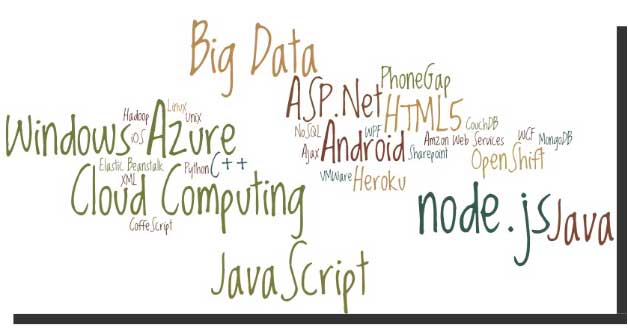
Before we go to the list do you know what makes software skills most sought-after and hence more valuable than most of the other job skills? It is simply because unlike any other skill, software skills are global and are not at all location specific! With the evolution and penetration of internet technologies, the physical distance between the client and service provider hardly matters. So, with more advancement in technology, it is indeed going to rain opportunities on the right skilled developer. I’ll take the liberty to reproduce the following quotes here to prove my claims statistically:
Demand for “cloud-ready” IT workers will grow by 26 percent annually through 2015, with as many as 7 million cloud-related jobs available worldwide.
---IDC White Paper (November 2012).
In the United States, the IT sector is experiencing modest growth of IT jobs in general, with the average growth in IT employment between 1.1 and 2.7 percent per year through 2020.
---U.S. Bureau of Labor Statistics.

Jeff Nelson, a former Googler and inventor of Chromebook says on Quora, “One habit I've clung to is writing small prototypes when I'm trying to learn new concepts.
For example, I'll sit down with a book or a web page, and over the course of a few hours, write 30 or 40 programs all of them only a few dozen lines long. Each program intended to demonstrate some simple concept. This prototyping makes it very easy to try out many concepts in a short period of time.”
Miguel Paraz, Software Engineering Student habit is to “keep a log in a text file or document on my work computer. Before trying to solve a problem, I write it down first. And then I describe the details as they happen.”
Many individuals are looking to break into a video game designing career, and it's no surprise. A $9 billion industry, the video game designing business has appeal to gamers and non-gamers alike. High salaries and high rates of job satisfaction are typical in the field.
In order to design video games, however, you need a certain skill set. Computer programming is first on the list. While games are made using almost all languages, the most popular programming language for video games is C++, because of its object-oriented nature and because it compiles to binary. The next most popular languages for games are C and Java, but others such as C# and assembly language are also used. A strong background in math is usually required to learn these languages. Individuals wishing to design games should also have an extensive knowledge of both PCs and Macs.
There are many colleges and universities that offer classes not only in programming but also classes specifically on game design. Some of these schools have alliances with game developing companies, leading to jobs for students upon graduation. Programming video games can be lucrative. The average game designer's salary is $62,500, with $55,000 at the low end and $85,000 at the high end.
Programmers are not the only individuals needed to make a video game, however. There are multiple career paths within the gaming industry, including specialists in audio, design, production, visual arts and business.
Designing a video game can be an long, expensive process. The average budget for a modern multiplatform video game is $18-$28 million, with some high-profile games costing as much as $40 million. Making the game, from conception to sale, can take several months to several years. Some games have taken a notoriously long time to make; for example, 3D Realms' Duke Nukem Forever was announced in April 1997 and did not make it to shelves until July 2011.
Video game programmers have a high level of job satisfaction. In a March 2013 survey conducted by Game Developer magazine, 29 percent of game programmers were very satisfied with their jobs, and 39 percent were somewhat satisfied.
If you're interested in a game development career, now's the time to get moving. Take advantage of the many online resources available regarding these careers and start learning right away.
Tech Life in Indiana
training details locations, tags and why hsg
The Hartmann Software Group understands these issues and addresses them and others during any training engagement. Although no IT educational institution can guarantee career or application development success, HSG can get you closer to your goals at a far faster rate than self paced learning and, arguably, than the competition. Here are the reasons why we are so successful at teaching:
- Learn from the experts.
- We have provided software development and other IT related training to many major corporations in Indiana since 2002.
- Our educators have years of consulting and training experience; moreover, we require each trainer to have cross-discipline expertise i.e. be Java and .NET experts so that you get a broad understanding of how industry wide experts work and think.
- Discover tips and tricks about Java Programming programming
- Get your questions answered by easy to follow, organized Java Programming experts
- Get up to speed with vital Java Programming programming tools
- Save on travel expenses by learning right from your desk or home office. Enroll in an online instructor led class. Nearly all of our classes are offered in this way.
- Prepare to hit the ground running for a new job or a new position
- See the big picture and have the instructor fill in the gaps
- We teach with sophisticated learning tools and provide excellent supporting course material
- Books and course material are provided in advance
- Get a book of your choice from the HSG Store as a gift from us when you register for a class
- Gain a lot of practical skills in a short amount of time
- We teach what we know…software
- We care…