
Microsoft SQL Server Training Classes in Mount Vernon, New York
Learn Microsoft SQL Server in Mount Vernon, NewYork and surrounding areas via our hands-on, expert led courses. All of our classes either are offered on an onsite, online or public instructor led basis. Here is a list of our current Microsoft SQL Server related training offerings in Mount Vernon, New York: Microsoft SQL Server Training
Microsoft SQL Server Training Catalog
Course Directory [training on all levels]
- .NET Classes
- Agile/Scrum Classes
- AI Classes
- Ajax Classes
- Android and iPhone Programming Classes
- Azure Classes
- Blaze Advisor Classes
- C Programming Classes
- C# Programming Classes
- C++ Programming Classes
- Cisco Classes
- Cloud Classes
- CompTIA Classes
- Crystal Reports Classes
- Data Classes
- Design Patterns Classes
- DevOps Classes
- Foundations of Web Design & Web Authoring Classes
- Git, Jira, Wicket, Gradle, Tableau Classes
- IBM Classes
- Java Programming Classes
- JBoss Administration Classes
- JUnit, TDD, CPTC, Web Penetration Classes
- Linux Unix Classes
- Machine Learning Classes
- Microsoft Classes
- Microsoft Development Classes
- Microsoft SQL Server Classes
- Microsoft Team Foundation Server Classes
- Microsoft Windows Server Classes
- Oracle, MySQL, Cassandra, Hadoop Database Classes
- Perl Programming Classes
- Python Programming Classes
- Ruby Programming Classes
- SAS Classes
- Security Classes
- SharePoint Classes
- SOA Classes
- Tcl, Awk, Bash, Shell Classes
- UML Classes
- VMWare Classes
- Web Development Classes
- Web Services Classes
- Weblogic Administration Classes
- XML Classes
- RED HAT ENTERPRISE LINUX SYSTEMS ADMIN II
2 November, 2026 - 5 November, 2026 - AWS Certified Machine Learning: Specialty (MLS-C01)
2 November, 2026 - 6 November, 2026 - DOCKER WITH KUBERNETES ADMINISTRATION
30 November, 2026 - 4 December, 2026 - RED HAT ENTERPRISE LINUX AUTOMATION WITH ANSIBLE
9 November, 2026 - 12 November, 2026 - RED HAT ENTERPRISE LINUX SYSTEMS ADMIN I
7 December, 2026 - 11 December, 2026 - See our complete public course listing
Blog Entries publications that: entertain, make you think, offer insight
- The IRS is enabling taxpayers to download their tax transcripts over the internet from the Internal Revenue Service. The official secure URL for the transcripts download followed immediately after The White House fact sheet confirmed the decision. According to the Tech Crunch You Can Now Download Your Tax Returns From The IRS article, there are some minor bug issues when registering. Given that security has long been problematic with the IRS, the best course of action for the public is to take some precautions when downloading personal information on mobile devices, pc’s and laptops. Installing disk encryption software on all your devices will protect your files reduce risk
- Have an awesome Start-Up with products in ‘stealth or private beta” that you want like to pitch for a chance to get a table at Disrupt NY? TechCrunch is heading to Atlanta and New Orleans February 18th and 20th 2014 and will host a beer fest night in exchange for your thoughts and pitches. Tickets are $5, and all entrepreneurs, investors, dreamers or tech enthusiast are welcome.
- Cloutex, a cloud computing future enabler has just secured their first round of seed funding. Cloutex is an Estonian tech startup, which connects and syncs various web applications such as e-marketing, CRM and accounting tools under one convenient hub. The United Partners, SmartCap and EstBan business angels seeded the start-up with $6000, 000.
- Could you get everything important that you need to know about living successfully from a computer program? Ryan Dube seems to think so. In his 6 Life Habits That Programming Could Teach You Today he speaks in flow charts, loops and program modules, in the same breath as paying off debt or buying a house. How can your programming skills help in life skills by modeling some of the same principles?
- 10 Incredibly Simple Things You Can Do To Protect Your PrivacyPassword protect your devices. Put alerts on your name in Google; simple tasks that can be significant in protecting your privacy.
- Adobe Brings 3D Printing Support to PhotoshopAmong the latest updates in Adobe, Photoshop users have the ability to design 3D models from scratch as well as being able to toy around with color, shape and angles.
Sometimes we have to repeat ourselves before we are heard. Then again there are times where we have to perform a certain action the same way several times before we can carry on with what we want to do.
Repetition is the keyword here and for humans that is something we generally try to avoid. Yet our digital friends love repetition. They never get tired and they never get bored of doing the same thing over and over again countless times.
So it’s little wonder then that all modern programming languages give us various ways in which we can perform a certain action as many times as we need.
In python we have the for statement which gives us the power to loop over large collections of data very quickly and efficiently.
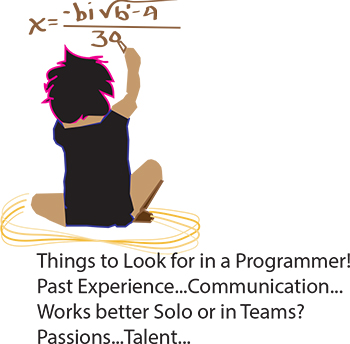 It’s the eternal conundrum of a hiring manager – you have to hire for every single position in the company without any first-hand experience. How to do it? If you can have a trusted programmer sit in on the interview, that’s ideal, of course. But what if you’re hiring your first programmer? Or what if you’re hiring a freelancer? Or what if company policy dictates that you’re the only person allowed to do the interviewing? Well, in that case, you need some helpful advice and your innate bullshit detector. We questioned programmers and hiring managers and compiled a list of dos and don’ts. Here are some things to ask when interviewing programmers:
Past Experience
Ask the programmer about the biggest disaster of his career so far, and how he handled it. Did he come in at midnight to fix the code? Was he unaware of the problem until someone brought it up? Did someone else handle it? According to our programmer sources, “Anyone worth their salt has caused a major meltdown. If they say they haven’t, they’re lying. Or very, very green.” Pushing a code with bugs in it isn’t necessarily bad. Not handling it well is bad.
As usual, your biggest asset is not knowing the field, it is knowing people. Asking about career disasters can be uncomfortable, but if the interviewee is experienced and honest then she won’t have a problem telling you about it, and you will get an idea of how she handles mishaps. Even if you don’t understand what the disaster was or how it was fixed, you should be able to tell how honest she’s being and how she handles being put on the spot.
 When it comes to running a start up, leaders need to make sure that their key players are motivated. This has been seen with many companies. Back in the 1970's it was found with the inspiration and diligence of the late Daniel Nigro when he formed Kleer-Fax. More recently it was seen in David Khasidy, the founder and recently retired president of SunRay Power Management, the most dynamic green energy leader in the US today.
The question is, what is it that great leaders like David Khasidy and Daniel Nigro do that make the difference? How do the most vulnerable companies (start ups) break the mold and become a part of our everyday lives?
It starts with their mission and vision.
Create a Strong Mission and Vision
There are many reasons why start ups fail. For one, they usually lack the capital to last through the lean times. Secondly, they often don't have the tolerance for setbacks that occur. Lastly, they do not have a long-term plan, also called a mission.
When a business has a strong mission, the team knows it and their focus toward their work and service to others within and without the company reflects that. To complement that, the shorter term vision of the company needs to be present as well.
This can even be seen in sole proprietorships with no employees, such as when Brian Pascale started his law practice. His vision was to find justice for his clients while his mission was to build upon a career that had already set precedents in the area of tort law.
As his practice has grown, new staff members can sense the vision and mission he exudes.
Encourage Ownership of Projects and Processes
Start ups need to inspire and motivate their employees because they need to know that they are not only a part of something important, but that their contributions mean something.
What won't happen if they are not there? What contribution do they make, and what are the consequences of them not fulfilling their part of the work?
By encouraging ownership in projects, team members can find that the work they are doing is not only important for the organization, but that they are going to be a big part of what makes it happen. The alternative is that they feel replaceable.
Offer Incentives That Keep the Company Competitive
When team members embrace the mission and vision of the company, and then take ownership for the company's success, they are going to need to be justly rewarded.
This could include flexible schedules (for those who don't need a stringent one), use of an account at a nearby takeout place, or even the potential for ownership as a result of a vesting program.
The incentive everyone is looking for more immediately, though, is cash. When the company takes in more revenue as a result of the efforts of those on the team, rewarding them can go a long way not only in making them feel appreciated, but in encouraging them to bring in more business.
Members of a start up team are usually very talented, and commonly underpaid. However, if they believe they are going somewhere, it will make a big difference.
Related:
Good non-programmer jobs for people with software developer experience
Tech Life in New York
| Company Name | City | Industry | Secondary Industry |
|---|---|---|---|
| NYSE Euronext, Inc. | New York | Financial Services | Securities Agents and Brokers |
| Anderson Instrument Company Inc. | Fultonville | Manufacturing | Tools, Hardware and Light Machinery |
| News Corporation | New York | Media and Entertainment | Radio and Television Broadcasting |
| Philip Morris International Inc | New York | Manufacturing | Manufacturing Other |
| Loews Corporation | New York | Travel, Recreation and Leisure | Hotels, Motels and Lodging |
| The Guardian Life Insurance Company of America | New York | Financial Services | Insurance and Risk Management |
| Jarden Corporation | Rye | Manufacturing | Manufacturing Other |
| Ralph Lauren Corporation | New York | Retail | Clothing and Shoes Stores |
| Icahn Enterprises, LP | New York | Financial Services | Investment Banking and Venture Capital |
| Viacom Inc. | New York | Media and Entertainment | Media and Entertainment Other |
| Omnicom Group Inc. | New York | Business Services | Advertising, Marketing and PR |
| Henry Schein, Inc. | Melville | Healthcare, Pharmaceuticals and Biotech | Medical Supplies and Equipment |
| Pfizer Incorporated | New York | Healthcare, Pharmaceuticals and Biotech | Pharmaceuticals |
| Eastman Kodak Company | Rochester | Computers and Electronics | Audio, Video and Photography |
| Assurant Inc. | New York | Business Services | Data and Records Management |
| PepsiCo, Inc. | Purchase | Manufacturing | Nonalcoholic Beverages |
| Foot Locker, Inc. | New York | Retail | Department Stores |
| Barnes and Noble, Inc. | New York | Retail | Sporting Goods, Hobby, Book, and Music Stores |
| Alcoa | New York | Manufacturing | Metals Manufacturing |
| The Estee Lauder Companies Inc. | New York | Healthcare, Pharmaceuticals and Biotech | Personal Health Care Products |
| Avon Products, Inc. | New York | Healthcare, Pharmaceuticals and Biotech | Personal Health Care Products |
| The Bank of New York Mellon Corporation | New York | Financial Services | Banks |
| Marsh and McLennan Companies | New York | Financial Services | Insurance and Risk Management |
| Corning Incorporated | Corning | Manufacturing | Concrete, Glass, and Building Materials |
| CBS Corporation | New York | Media and Entertainment | Radio and Television Broadcasting |
| Bristol Myers Squibb Company | New York | Healthcare, Pharmaceuticals and Biotech | Biotechnology |
| Citigroup Incorporated | New York | Financial Services | Banks |
| Goldman Sachs | New York | Financial Services | Personal Financial Planning and Private Banking |
| American International Group (AIG) | New York | Financial Services | Insurance and Risk Management |
| Interpublic Group of Companies, Inc. | New York | Business Services | Advertising, Marketing and PR |
| BlackRock, Inc. | New York | Financial Services | Securities Agents and Brokers |
| MetLife Inc. | New York | Financial Services | Insurance and Risk Management |
| Consolidated Edison Company Of New York, Inc. | New York | Energy and Utilities | Gas and Electric Utilities |
| Time Warner Cable | New York | Telecommunications | Cable Television Providers |
| Morgan Stanley | New York | Financial Services | Investment Banking and Venture Capital |
| American Express Company | New York | Financial Services | Credit Cards and Related Services |
| International Business Machines Corporation | Armonk | Computers and Electronics | Computers, Parts and Repair |
| TIAA-CREF | New York | Financial Services | Securities Agents and Brokers |
| JPMorgan Chase and Co. | New York | Financial Services | Investment Banking and Venture Capital |
| The McGraw-Hill Companies, Inc. | New York | Media and Entertainment | Newspapers, Books and Periodicals |
| L-3 Communications Inc. | New York | Manufacturing | Aerospace and Defense |
| Colgate-Palmolive Company | New York | Consumer Services | Personal Care |
| New York Life Insurance Company | New York | Financial Services | Insurance and Risk Management |
| Time Warner Inc. | New York | Media and Entertainment | Media and Entertainment Other |
| Cablevision Systems Corp. | Bethpage | Media and Entertainment | Radio and Television Broadcasting |
| CA Technologies, Inc. | Islandia | Software and Internet | Software |
| Verizon Communications Inc. | New York | Telecommunications | Telephone Service Providers and Carriers |
| Hess Corporation | New York | Energy and Utilities | Gasoline and Oil Refineries |
training details locations, tags and why hsg
The Hartmann Software Group understands these issues and addresses them and others during any training engagement. Although no IT educational institution can guarantee career or application development success, HSG can get you closer to your goals at a far faster rate than self paced learning and, arguably, than the competition. Here are the reasons why we are so successful at teaching:
- Learn from the experts.
- We have provided software development and other IT related training to many major corporations in New York since 2002.
- Our educators have years of consulting and training experience; moreover, we require each trainer to have cross-discipline expertise i.e. be Java and .NET experts so that you get a broad understanding of how industry wide experts work and think.
- Discover tips and tricks about Microsoft SQL Server programming
- Get your questions answered by easy to follow, organized Microsoft SQL Server experts
- Get up to speed with vital Microsoft SQL Server programming tools
- Save on travel expenses by learning right from your desk or home office. Enroll in an online instructor led class. Nearly all of our classes are offered in this way.
- Prepare to hit the ground running for a new job or a new position
- See the big picture and have the instructor fill in the gaps
- We teach with sophisticated learning tools and provide excellent supporting course material
- Books and course material are provided in advance
- Get a book of your choice from the HSG Store as a gift from us when you register for a class
- Gain a lot of practical skills in a short amount of time
- We teach what we know…software
- We care…