
Microsoft Development Training Classes in Pierre, South Dakota
Learn Microsoft Development in Pierre, SouthDakota and surrounding areas via our hands-on, expert led courses. All of our classes either are offered on an onsite, online or public instructor led basis. Here is a list of our current Microsoft Development related training offerings in Pierre, South Dakota: Microsoft Development Training
Microsoft Development Training Catalog
.NET Classes
Azure Classes
BizTalk Server Classes
Cloud Classes
JavaScript Classes
Course Directory [training on all levels]
- .NET Classes
- Agile/Scrum Classes
- AI Classes
- Ajax Classes
- Android and iPhone Programming Classes
- Azure Classes
- Blaze Advisor Classes
- C Programming Classes
- C# Programming Classes
- C++ Programming Classes
- Cisco Classes
- Cloud Classes
- CompTIA Classes
- Crystal Reports Classes
- Data Classes
- Design Patterns Classes
- DevOps Classes
- Foundations of Web Design & Web Authoring Classes
- Git, Jira, Wicket, Gradle, Tableau Classes
- IBM Classes
- Java Programming Classes
- JBoss Administration Classes
- JUnit, TDD, CPTC, Web Penetration Classes
- Linux Unix Classes
- Machine Learning Classes
- Microsoft Classes
- Microsoft Development Classes
- Microsoft SQL Server Classes
- Microsoft Team Foundation Server Classes
- Microsoft Windows Server Classes
- Oracle, MySQL, Cassandra, Hadoop Database Classes
- Perl Programming Classes
- Python Programming Classes
- Ruby Programming Classes
- SAS Classes
- Security Classes
- SharePoint Classes
- SOA Classes
- Tcl, Awk, Bash, Shell Classes
- UML Classes
- VMWare Classes
- Web Development Classes
- Web Services Classes
- Weblogic Administration Classes
- XML Classes
- Linux Fundaments GL120
14 September, 2026 - 18 September, 2026 - RED HAT ENTERPRISE LINUX SYSTEMS ADMIN I
26 October, 2026 - 30 October, 2026 - ASP.NET Core MVC, Rev. 8.0
19 October, 2026 - 20 October, 2026 - Enterprise Linux System Administration
21 September, 2026 - 25 September, 2026 - AWS Certified Machine Learning: Specialty (MLS-C01)
2 November, 2026 - 6 November, 2026 - See our complete public course listing
Blog Entries publications that: entertain, make you think, offer insight
Facebook was originally intended as a way for people to stay in touch with friends and family members by sharing pictures and status updates on their timeline. As the website's popularity has grown, so has criticism that it is becoming one giant, online high school.
Online Bullying
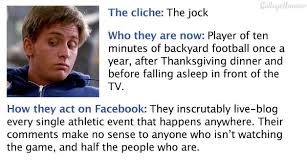 There has been a dramatic increase in recent years in the number of online bullying cases due to the introduction of social media. Bullying isn't just limited to younger Facebook users, either. Many adult users have also resorted to bashing others online through nasty status updates and cruel comments.
Prior to social media, bullying in high school involved "kick me" signs and toilet swirling. Facebook and other social media outlets have allowed users to take bullying to a whole other level. Victims can no longer escape bullying by leaving school or work. The torture continues online, at anytime and anyplace.
Status "Likes"
In high school, everyone wants to be part of the popular crowd; people who are outgoing, beautiful, and seem like they have everything. Posting a status update is similar to wanting to be popular. Once an update is posted, many users wait with bated breath to see how many friends will "like" their status. They believe that the more "likes" they receive, the more popular they are.
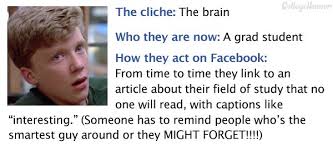 If that isn’t enough, there are many Facebook games that involve "liking" someone's status. Games like "Truth Is", where someone likes a status update and in return the poster writes how they really feel about the friend on their Facebook wall. This can get touchy, especially if the two people aren't friends outside of Facebook. It's similar to high school where someone desperately wants another person to like them, but when they find out how that person really feels they are crushed.
Relationships Are Difficult to Keep Private
When someone signs up for Facebook they’re asked to complete their profile, which includes a relationship section. Users can select from different options including "single", "married", "widowed", and "divorced". Whenever someone changes their relationship status, the update shows up on each of their friend's news feeds.
It's easy to see how this feature correlates with high school where everyone talks about who is dating who or which couple broke up. It used to be that after graduation, people were able to keep their relationships more to themselves. Not so anymore in the age of social media. Now everyone has the ability to state their opinion on a friend's relationship status, either by "liking" their status change or by commenting on it.
 Facebook has presented many benefits to its users, including the ability to rekindle old high school friendships. What one must understand when they sign up for the service is that they are opening themselves up to the same criticism and drama that takes place in a high school setting.
Proceed with caution!
Javascript has a lot of features which are often overlooked by web developers, and one such feature is the ability to have timed events. If you do not understand what that means do not worry because all will be explained in this tutorial.
Timing events allow you to write code which will execute within a set amount of time. As an example, say you wanted to display a clock on your web page. You could use javascripts' built in timing functions to make the time change every second or every minute.
Of course there are other uses for such functions, but we will stick with a simple timer which creates a dialog box with the words Hi There on it every 3 seconds, that way you can get a feel for how to work with timing.
To get started we are going to need a basic web page. Just create a blank page and add the following code in the script tags:

For many people, one of the most exciting and challenging career choices is computer programming. There are several ways that people can enter the computer programming profession; however, the most popular method has traditionally been the educational route through an educational institution of higher learning such as a college or technical school.
Even though many people think of computer programmers as individuals with a technical background, some programmers enter the computer programming profession without a structured technical background. In addition, after further investigation several interesting facts are uncovered when a profile of the best computer programmers is analyzed.
When observing how the top programmers in the profession work, there are four characteristics that tend to separate the top programmers from the average programmers. These four characteristics are:
1.Creativity.
2.Attention To Detail.
3.Learns New Things Quickly.
4.Works Well With Others.
Creativity.
Being a top computer programmer requires a combination of several unique qualities. One of these qualities is creativity. In its very essence, computer programming is about creating programs to accomplish specific tasks in the most efficient manner. The ability to develop computer code to accomplish tasks takes a certain level of creativity. The top computer programmers tend to have a great deal of creativity, and they have the desire to try things in a variety of ways to produce the best results for a particular situation.
Attention To Detail.
While creativity is important for top programmers an almost opposite quality is needed to produce great computer programs on a consistent basis, this quality is attention to detail. The very nature of computer programming requires the need to enter thousands of lines of computer programming code. What separates many top programmers from average programmers is the ability to enter these lines of code with a minimum amount of errors and just as importantly test the code to catch any unseen errors. Top computer programmers have the necessary attention to detail to successfully create and enter the necessary computer code project after project.
Learns New Things Quickly.
The technology field is constantly changing. Almost daily new technology innovations are being developed that require computer programmers to learn new technology or enhancements to current technology on a regular basis. The top computer programmers are able to learn new technology or enhancements quickly, and then they are able to apply what has been learned to their current and future programming projects in a seamless manner.
Works Well With Others.
There are several differences between top computer programmers and other programmers. However, one of the biggest differences is the ability to work well with others. By its very nature, computer programming requires programmers to spend a lot of time alone developing computer code, but the top computer programmers are able to excel at this aspect of computer programming along with being able to work well with other people.
Regarding computer programmers, the top programmers approach and handle their jobs differently than other programmers, and these differences set them apart from the other programmers. For any average programmers who have the desire to excel as a computer programmer, they must understand and embrace the characteristics of top programmers.
Related:
How important is it to exercise for people in technology that sit for hours on end?
What are a few unique pieces of career advice that nobody ever mentions?
Static variables in Python are created as part of the class declaration. By contrast, instance variables are created as part of a regular method and not a classmethod or staticmethod.
class A:
  i=3  # static variable

  def dosomethingregularmethod(self):
       self.k=4   # instance variable

# to access static variables


A.i
Tech Life in South Dakota
training details locations, tags and why hsg
The Hartmann Software Group understands these issues and addresses them and others during any training engagement. Although no IT educational institution can guarantee career or application development success, HSG can get you closer to your goals at a far faster rate than self paced learning and, arguably, than the competition. Here are the reasons why we are so successful at teaching:
- Learn from the experts.
- We have provided software development and other IT related training to many major corporations in South Dakota since 2002.
- Our educators have years of consulting and training experience; moreover, we require each trainer to have cross-discipline expertise i.e. be Java and .NET experts so that you get a broad understanding of how industry wide experts work and think.
- Discover tips and tricks about Microsoft Development programming
- Get your questions answered by easy to follow, organized Microsoft Development experts
- Get up to speed with vital Microsoft Development programming tools
- Save on travel expenses by learning right from your desk or home office. Enroll in an online instructor led class. Nearly all of our classes are offered in this way.
- Prepare to hit the ground running for a new job or a new position
- See the big picture and have the instructor fill in the gaps
- We teach with sophisticated learning tools and provide excellent supporting course material
- Books and course material are provided in advance
- Get a book of your choice from the HSG Store as a gift from us when you register for a class
- Gain a lot of practical skills in a short amount of time
- We teach what we know…software
- We care…