
Microsoft Training Classes in Cuyahoga Falls, Ohio
Learn Microsoft in Cuyahoga Falls, Ohio and surrounding areas via our hands-on, expert led courses. All of our classes either are offered on an onsite, online or public instructor led basis. Here is a list of our current Microsoft related training offerings in Cuyahoga Falls, Ohio: Microsoft Training
Course Directory [training on all levels]
- .NET Classes
- Agile/Scrum Classes
- AI Classes
- Ajax Classes
- Android and iPhone Programming Classes
- Azure Classes
- Blaze Advisor Classes
- C Programming Classes
- C# Programming Classes
- C++ Programming Classes
- Cisco Classes
- Cloud Classes
- CompTIA Classes
- Crystal Reports Classes
- Data Classes
- Design Patterns Classes
- DevOps Classes
- Foundations of Web Design & Web Authoring Classes
- Git, Jira, Wicket, Gradle, Tableau Classes
- IBM Classes
- Java Programming Classes
- JBoss Administration Classes
- JUnit, TDD, CPTC, Web Penetration Classes
- Linux Unix Classes
- Machine Learning Classes
- Microsoft Classes
- Microsoft Development Classes
- Microsoft SQL Server Classes
- Microsoft Team Foundation Server Classes
- Microsoft Windows Server Classes
- Oracle, MySQL, Cassandra, Hadoop Database Classes
- Perl Programming Classes
- Python Programming Classes
- Ruby Programming Classes
- SAS Classes
- Security Classes
- SharePoint Classes
- SOA Classes
- Tcl, Awk, Bash, Shell Classes
- UML Classes
- VMWare Classes
- Web Development Classes
- Web Services Classes
- Weblogic Administration Classes
- XML Classes
- OpenShift Fundamentals
5 October, 2026 - 7 October, 2026 - Linux Fundaments GL120
14 September, 2026 - 18 September, 2026 - Enterprise Linux System Administration
21 September, 2026 - 25 September, 2026 - AWS Certified Machine Learning: Specialty (MLS-C01)
2 November, 2026 - 6 November, 2026 - RED HAT ENTERPRISE LINUX SYSTEMS ADMIN I
26 October, 2026 - 30 October, 2026 - See our complete public course listing
Blog Entries publications that: entertain, make you think, offer insight
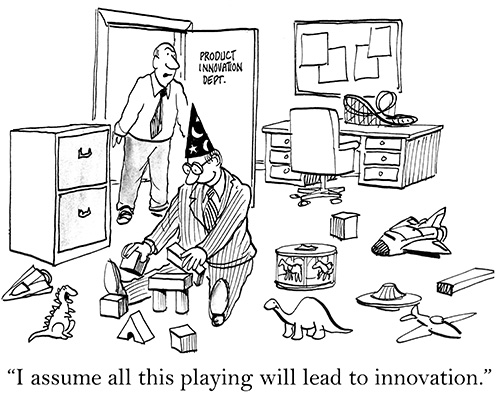
Jeff Nelson, a former Googler and inventor of Chromebook says on Quora, “One habit I've clung to is writing small prototypes when I'm trying to learn new concepts.
For example, I'll sit down with a book or a web page, and over the course of a few hours, write 30 or 40 programs all of them only a few dozen lines long. Each program intended to demonstrate some simple concept. This prototyping makes it very easy to try out many concepts in a short period of time.”
Miguel Paraz, Software Engineering Student habit is to “keep a log in a text file or document on my work computer. Before trying to solve a problem, I write it down first. And then I describe the details as they happen.”
 Much of success is about performance. It’s about what we do and what we are able to inspire others to do. There are some simple performance principles I have learned in my life, and I want to share them with you. They really bring success, and what it takes to be successful, into sharp focus. They are also the basis for developing and maintaining an expectation of success.
The Five Principles of Performance
1. We generally get from ourselves and others what we expect. It is a huge fact that you will either live up or down to your own expectations. If you expect to lose, you will. If you expect to be average, you will be average. If you expect to feel bad, you probably will. If you expect to feel great, nothing will slow you down. And what is true for you is true for others. Your expectations for others will become what they deliver and achieve. As Gandhi said, “Be the change you wish to see in the world.”
2. The difference between good and excellent companies is training. The only thing worse than training employees and losing them is to not train them and keep them! A football team would not be very successful if they did not train, practice, and prepare for their opponents. When you think of training as practice and preparation, it makes you wonder how businesses survive that do not make significant training investments in their people.
Actually, companies that do not train their people and invest in their ability don’t last. They operate from a competitive disadvantage and are eventually gobbled up and defeated in the marketplace. If you want to improve and move from good to excellent, a good training strategy will be the key to success.
The innovators in technology have long paved the way for greater social advancement. No one can dispute the fact that the impact of Bill Gates and Microsoft will be far reaching for many years to come. The question is whether or not Microsoft will be able to adapt and thrive in emerging markets. The fact that Microsoft enjoys four decades of establishment also makes it difficult to make major changes without alienating the 1.5 billion Windows users.
This was apparent with the release of Windows 8. Windows users had come to expect a certain amount of consistency from their applications. The Metro tile, touch screen interface left a lot to be desired for enough people that Microsoft eventually more thoroughly implemented an older desktop view minus a traditional Start menu.
The app focused Windows 8 was supposed to be a step towards a greater integration of Cloud technology. In recent years, Microsoft lagged behind its competitors in getting established in new technologies. That includes the billions of dollars the emerging mobile market offered and Cloud computing.
Amazon was the first powerhouse to really establish themselves in the Cloud technology market. Google, Microsoft, and smaller parties are all playing catch up to take a piece of the Cloud pie. More and more businesses are embracing Cloud technology as a way to minimize their equipment and software expenses. While it does take a bit for older businesses to get onboard with such a change, start ups are looking at Cloud computing as an essential part of their business.
But what does that mean for Microsoft? Decisions were made to help update the four decade old Microsoft to the "always on" world we currently live in. Instead of operating in project "silos", different departments were brought together under more generalized headings where they could work closer with one another. Electronic delivery of software, including through Cloud tech, puts Microsoft in the position of needing to meet a pace that is very different from Gates’ early days.
The seriousness of their desire to compete with the likes of Amazon is their pricing matching on Cloud infrastructure services. Microsoft is not a company that has traditionally offered price cuts to compete with others. The fact that they have greatly reduced rates on getting infrastructure set up paves the way for more business users of their Cloud-based apps like Microsoft Office. Inexpensive solutions and free applications open the doors for Microsoft to initiate more sales of other products to their clients.
Former CEO Steve Ballmer recognized there was a need for Microsoft to change directions to remain competitive. In February 2014, he stepped down as CEO stating that the CEO needed to be there through all stages of Microsoft's transition in these more competitive markets. And the former role of his chosen successor, Mr. Satya Nadella? Head of Microsoft's Cloud services division.
Microsoft may not always catch the initial burst of a new development in their space; but they regularly adapt and drive forward. The leadership of Microsoft is clearly thinking forward in what they want to accomplish as sales of PCs have stayed on a continuous decline. It should come as no surprise that Microsoft will embrace this new direction and push towards a greater market share against the likes of Amazon and Google.
Related:
Who Are the Main Players in Big Data?
Is Cloud Computing Safe for Your Business?
Is The Grass Greener in Mobile App Development?
Creating an enum in Python prior to Python 3.4 was accomplished as follows:
def enum(**enums)::
      return type('Enum',(),enums)

then use as:

Animals=enum(Dog=1,Cat=2)

and accessed as:

Animals.Dog
The new version can be created as follows:
from enum import Enum

class Animal(Enum):
    Dog=1
    Cat=2
Tech Life in Ohio
| Company Name | City | Industry | Secondary Industry |
|---|---|---|---|
| Nationwide Insurance Company | Columbus | Financial Services | Insurance and Risk Management |
| Owens Corning | Toledo | Manufacturing | Concrete, Glass, and Building Materials |
| FirstEnergy Corp | Akron | Energy and Utilities | Gas and Electric Utilities |
| The Lubrizol Corporation | Wickliffe | Manufacturing | Chemicals and Petrochemicals |
| Sherwin-Williams | Cleveland | Retail | Hardware and Building Material Dealers |
| Key Bank | Cleveland | Financial Services | Banks |
| TravelCenters of America, Inc. | Westlake | Retail | Gasoline Stations |
| Dana Holding Company | Maumee | Manufacturing | Automobiles, Boats and Motor Vehicles |
| O-I (Owens Illinois), Inc. | Perrysburg | Manufacturing | Concrete, Glass, and Building Materials |
| Big Lots Stores, Inc. | Columbus | Retail | Department Stores |
| Limited Brands, Inc. | Columbus | Retail | Clothing and Shoes Stores |
| Cardinal Health | Dublin | Healthcare, Pharmaceuticals and Biotech | Healthcare, Pharmaceuticals, and Biotech Other |
| Progressive Corporation | Cleveland | Financial Services | Insurance and Risk Management |
| Parker Hannifin Corporation | Cleveland | Manufacturing | Manufacturing Other |
| American Financial Group, Inc. | Cincinnati | Financial Services | Insurance and Risk Management |
| American Electric Power Company, Inc | Columbus | Energy and Utilities | Gas and Electric Utilities |
| Fifth Third Bancorp | Cincinnati | Financial Services | Banks |
| Macy's, Inc. | Cincinnati | Retail | Department Stores |
| Goodyear Tire and Rubber Co. | Akron | Manufacturing | Plastics and Rubber Manufacturing |
| The Kroger Co. | Cincinnati | Retail | Grocery and Specialty Food Stores |
| Omnicare, Inc. | Cincinnati | Healthcare, Pharmaceuticals and Biotech | Pharmaceuticals |
| The Procter and Gamble Company | Cincinnati | Consumer Services | Personal Care |
training details locations, tags and why hsg
The Hartmann Software Group understands these issues and addresses them and others during any training engagement. Although no IT educational institution can guarantee career or application development success, HSG can get you closer to your goals at a far faster rate than self paced learning and, arguably, than the competition. Here are the reasons why we are so successful at teaching:
- Learn from the experts.
- We have provided software development and other IT related training to many major corporations in Ohio since 2002.
- Our educators have years of consulting and training experience; moreover, we require each trainer to have cross-discipline expertise i.e. be Java and .NET experts so that you get a broad understanding of how industry wide experts work and think.
- Discover tips and tricks about Microsoft programming
- Get your questions answered by easy to follow, organized Microsoft experts
- Get up to speed with vital Microsoft programming tools
- Save on travel expenses by learning right from your desk or home office. Enroll in an online instructor led class. Nearly all of our classes are offered in this way.
- Prepare to hit the ground running for a new job or a new position
- See the big picture and have the instructor fill in the gaps
- We teach with sophisticated learning tools and provide excellent supporting course material
- Books and course material are provided in advance
- Get a book of your choice from the HSG Store as a gift from us when you register for a class
- Gain a lot of practical skills in a short amount of time
- We teach what we know…software
- We care…