
Microsoft Windows Server Training Classes in Lowell, Massachusetts
Learn Microsoft Windows Server in Lowell, Massachusetts and surrounding areas via our hands-on, expert led courses. All of our classes either are offered on an onsite, online or public instructor led basis. Here is a list of our current Microsoft Windows Server related training offerings in Lowell, Massachusetts: Microsoft Windows Server Training
Microsoft Windows Server Training Catalog
Course Directory [training on all levels]
- .NET Classes
- Agile/Scrum Classes
- AI Classes
- Ajax Classes
- Android and iPhone Programming Classes
- Azure Classes
- Blaze Advisor Classes
- C Programming Classes
- C# Programming Classes
- C++ Programming Classes
- Cisco Classes
- Cloud Classes
- CompTIA Classes
- Crystal Reports Classes
- Data Classes
- Design Patterns Classes
- DevOps Classes
- Foundations of Web Design & Web Authoring Classes
- Git, Jira, Wicket, Gradle, Tableau Classes
- IBM Classes
- Java Programming Classes
- JBoss Administration Classes
- JUnit, TDD, CPTC, Web Penetration Classes
- Linux Unix Classes
- Machine Learning Classes
- Microsoft Classes
- Microsoft Development Classes
- Microsoft SQL Server Classes
- Microsoft Team Foundation Server Classes
- Microsoft Windows Server Classes
- Oracle, MySQL, Cassandra, Hadoop Database Classes
- Perl Programming Classes
- Python Programming Classes
- Ruby Programming Classes
- SAS Classes
- Security Classes
- SharePoint Classes
- SOA Classes
- Tcl, Awk, Bash, Shell Classes
- UML Classes
- VMWare Classes
- Web Development Classes
- Web Services Classes
- Weblogic Administration Classes
- XML Classes
- RED HAT ENTERPRISE LINUX SYSTEMS ADMIN I
26 October, 2026 - 30 October, 2026 - AWS Certified Machine Learning: Specialty (MLS-C01)
2 November, 2026 - 6 November, 2026 - RED HAT ENTERPRISE LINUX SYSTEMS ADMIN II
2 November, 2026 - 5 November, 2026 - RED HAT ENTERPRISE LINUX AUTOMATION WITH ANSIBLE
9 November, 2026 - 12 November, 2026 - DOCKER WITH KUBERNETES ADMINISTRATION
30 November, 2026 - 4 December, 2026 - See our complete public course listing
Blog Entries publications that: entertain, make you think, offer insight
 There are normally two sides to the story when it comes to employment. On one hand, employers hold the view that the right candidate is a hard find; while on the other, job hunters think that it’s a tasking affair to land a decent job out there.
Regardless of which side of the divide you lay, landing good work or workers is a tedious endeavor. For those looking to hire, a single job opening could attract hundreds or thousands of applicants. Sifting through the lot in hope of finding the right fit is no doubt time consuming. Conversely, a job seeker may hold the opinion that he or she is submitting resumes into the big black hole of the Internet, never really anticipating a response, but nevertheless sending them out rather than sit back doing nothing.
A recruitment agency normally keeps an internal database of applicants and resumes for current and future opportunities. They first do a database search to try and identify qualified and screened candidates from their existing crop of talent. Most often the case, they’ll also post open positions online through industry websites and job boards so as to net other possible applicants.
When it comes to IT staffing needs, HR managers even find a more challenging process in their hands. This is because the IT department is one of the most sensitive in any given organization where a single slip-up could be disastrous for the company (think data security, think finances when the IT guys are working in tandem with accounts). You get the picture, right?
Have you ever played a game on your iPhone and wondered how to share it with your friends? Of course, not everyone has iPhones, and they aren’t always watching the leaderboards on the Gaming app, provided by Apple. Well, guess what? You don’t have to take a whole other camera to take a picture of your iPhone to create a photo of that particular score you have achieved. All you have to do is simultaneously press the “Home Button” and the “Lock Button” on your iPhone. After that, your iPhone should consequently flash to white, as if it were snapping its shutter, and taking a picture. Afterwards, you should be able to find the picture in your Photo Albums and share it with your friends.
But, taking screenshots of your iPhone doesn’t always have to deal with your game scores, you can take screenshots of almost any happening on your phone and share it with people! Have you ever had a memorable texting conversation with your friend, where you mistyped something, and the conversation went haywire? Sharing it becomes easy by using this feature. Want to show how odd a website looks on your iPhone compared to looking at it on your computer, and give it to their support to fix it? Take a screenshot of it! The possibilities of this feature are endless, and can become timeless with a simple picture.
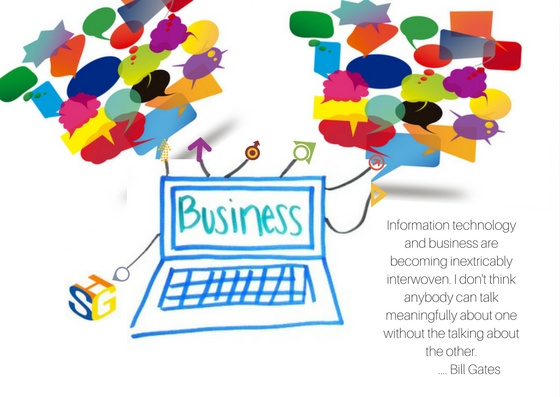
Information Technology (IT) tools are here to support your business in the global market. Effective communication is key for IT and business experts to collaborate effectively in search of solutions. Consulting, reaching out for help to a third-party, can bridge the gap between your business marketing experts and IT operations experts, especially with the emergence of big data analytics and its implication on the global market. Having the right consultants equipped with business knowledge and data technology expertise can make a difference.
Your marketing organization is probably familiar with digital tools and conducting global research. Its results can uncover the journey customers take to purchase your products or use your services. It can highlight the pain points and frictions that prevent their experiences with you to be delightful and amazing. Armed with this knowledge and beautiful compelling presentations, marketing executives expect that IT operations leaders will translate these insights into actions.
But people in IT operations are too involved in meeting key performance indicators that have nothing to do with the end customers. Meeting requirements of faster and cheaper don't translate very well into customer satisfaction. A classic breakdown in communication is described in a Harvard Business Review article, “A Technique to Bridge the Gap Between Marketing and IT.” The author goes on to describe how a new CIO at a bank found IT to be focused on the internal organization as their customers, rather than the real end customer. Moreover, no one was looking at the incident reports which clearly showed that incidents were increasing. And nobody looked at what these incidents were doing to the bank’s customers. The startling and scary numbers of incidents were caught and addressed and brought down from 1,000 to 600 or (40%) and later to 450 per week.
Surprisingly, these type of seemingly isolated scenarios are still being discovered within organizations presently, sometimes internally, and through third party insights such as consultants. By engaging consultants to provide a perspective based on what they’ve experienced before, they can often bring new and innovative ideas or possible challenges to the table that an internal processes probably wouldn’t have been able to see on their own. Often, third party input can help to provide the translation needed to go from marketing research results into actions that IT operations can understand and make sense in their high-performance culture. When companies understand and use this knowledge to reassess how to improve their customer experiences, they work backward from what customers want to achieve significantly higher improvements.
IT and business management are more and more being asked to move away from their traditional roles, such as IT being the "technology infrastructure gatekeeper", and instead become enablers across the enterprise of effective collaboration, big data consumers, and key players in driving desired business outcomes. Marketing leaders look to technology as a way to facilitate the customer's journey and his positive experience of it, bring more clients, and meet increasingly higher loyalty goals. They rely on IT projects to enable big data-based behavioral targeting anywhere in the global market. This means projects to analyze search engine results, improve website personalization and optimization, and building of mobile applications for a more personal experience. All these are projects that consultants with their communication, consulting and technical expertise are well prepared to help in order to bridge the expectation gap between IT and other business organizations.
In order to meet these 21st-century business challenges, Information Technology organizations have been transitioning from waterfall stage-gate project management approaches to agile development. The stage-gate method applies a step-by-step approach where waiting, reviewing and approving are required before moving to the next step in the project. Agile management emphasizes collaboration, no decision hierarchies, and few people roles for making quick, customer-focused small changes over time to deliver solutions that delight and amaze customers. Agile development has allowed many businesses to respond quickly to changing customer desires and expectations. But moving to continuous delivery is a struggle requiring focused, dedicated teams that are not well suited to the traditional matrix organization where people are resources whose time must be "chopped" into many pieces and shared among many projects. Agile teams meet frequently as often as daily but never waiting more than a week to do so.
Marketing people are externally focused. IT people are internally focused. The first works with customer emotions. The second works to increase efficiency. Big data analytic tools are used by the first and supported by the second. Consultants can be the glue that helps both come together in effective collaborations that deliver positive business outcomes in both global and local markets.
Writing Python in Java syntax is possible with a semi-automatic tool. Programming code translation tools pick up about 75% of dynamically typed language. Conversion of Python to a statically typed language like Java requires some manual translation. The modern Java IDE can be used to infer local variable type definitions for each class attribute and local variable.
Translation of Syntax
Both Python and Java are OO imperative languages with sizable syntax constructs. Python is larger, and more competent for functional programming concepts. Using the source translator tool, parsing of the original Python source language will allow for construction of an Abstract Source Tree (AST), followed by conversion of the AST to Java.
Python will parse itself. This capability is exhibited in the ast module, which includes skeleton classes. The latter can be expanded to parse and source each node of an AST. Extension of the ast.NodeVisitor class enables python syntax constructs to be customized using translate.py and parser.py coding structure.
The Concrete Syntax Tree (CST) for Java is based on visit to the AST. Java string templates can be output at AST nodes with visitor.py code. Comment blocks are not retained by the Python ast Parser. Conversion of Python to multi-line string constructs with the translator reduces time to script.
Scripting Python Type Inference in Java
Programmers using Python source know that the language does not contain type information. The fact that Python is a dynamic type language means object type is determined at run time. Python is also not enforced at compile time, as the source is not specified. Runtime type information of an object can be determined by inspecting the __class__.__name__ attribute.
Python’s inspect module is used for constructing profilers and debugging.
Implementation of def traceit (frame, event, arg) method in Python, and connecting it to the interpreter with sys.settrace (traceit) allows for integration of multiple events during application runtime.
Method call events prompt inspect and indexing of runtime type. Inspection of all method arguments can be conducted. By running the application profiler and exercising the code, captured trace files for each source file can be modified with the translator. Generating method syntax can be done with the translator by search and addition of type information. Results in set or returned variables disseminate the dynamic code in static taxonomy.
The final step in the Python to Java scrip integration is to administer unsupported concepts such as value object creation. There is also the task of porting library client code, for reproduction in Java equivalents. Java API stubs can be created to account for Python APIs. Once converted to Java the final clean-up of the script is far easier.
Related:
What Are The 10 Most Famous Software Programs Written in Python?
Tech Life in Massachusetts
| Company Name | City | Industry | Secondary Industry |
|---|---|---|---|
| Cabot Corporation | Boston | Telecommunications | Telephone Service Providers and Carriers |
| LPL Financial | Boston | Financial Services | Personal Financial Planning and Private Banking |
| NSTAR Gas and Electric Company | Westwood | Energy and Utilities | Gas and Electric Utilities |
| Cabot Corporation | Boston | Manufacturing | Plastics and Rubber Manufacturing |
| BJ's Wholesale Club, Inc. | Westborough | Retail | Department Stores |
| American Tower Corporation | Boston | Telecommunications | Telecommunications Equipment and Accessories |
| Hologic, Inc. | Bedford | Healthcare, Pharmaceuticals and Biotech | Medical Devices |
| Global Partners LP | Waltham | Retail | Gasoline Stations |
| Northeast Utilities | Boston | Energy and Utilities | Gas and Electric Utilities |
| Liberty Mutual Holding Company | Boston | Financial Services | Insurance and Risk Management |
| Staples Inc. | Framingham | Computers and Electronics | Office Machinery and Equipment |
| Thermo Fisher Scientific Inc. | Waltham | Healthcare, Pharmaceuticals and Biotech | Medical Devices |
| Hanover Insurance Group, Inc. | Worcester | Financial Services | Insurance and Risk Management |
| The TJX Companies, Inc. | Framingham | Retail | Department Stores |
| Iron Mountain, Inc. | Boston | Software and Internet | Data Analytics, Management and Storage |
| Massachusetts Mutual Financial Group | Springfield | Financial Services | Insurance and Risk Management |
| Beacon Roofing Supply, Inc. | Peabody | Manufacturing | Concrete, Glass, and Building Materials |
| Raytheon Company | Waltham | Software and Internet | Software |
| Analog Devices, Inc. | Norwood | Computers and Electronics | Consumer Electronics, Parts and Repair |
| Biogen Idec Inc. | Weston | Healthcare, Pharmaceuticals and Biotech | Biotechnology |
| Boston Scientific Corporation | Natick | Healthcare, Pharmaceuticals and Biotech | Medical Supplies and Equipment |
| PerkinElmer, Inc. | Waltham | Computers and Electronics | Instruments and Controls |
| State Street Corporation | Boston | Financial Services | Trust, Fiduciary, and Custody Activities |
| EMC Corporation | Hopkinton | Computers and Electronics | Networking Equipment and Systems |
training details locations, tags and why hsg
The Hartmann Software Group understands these issues and addresses them and others during any training engagement. Although no IT educational institution can guarantee career or application development success, HSG can get you closer to your goals at a far faster rate than self paced learning and, arguably, than the competition. Here are the reasons why we are so successful at teaching:
- Learn from the experts.
- We have provided software development and other IT related training to many major corporations in Massachusetts since 2002.
- Our educators have years of consulting and training experience; moreover, we require each trainer to have cross-discipline expertise i.e. be Java and .NET experts so that you get a broad understanding of how industry wide experts work and think.
- Discover tips and tricks about Microsoft Windows Server programming
- Get your questions answered by easy to follow, organized Microsoft Windows Server experts
- Get up to speed with vital Microsoft Windows Server programming tools
- Save on travel expenses by learning right from your desk or home office. Enroll in an online instructor led class. Nearly all of our classes are offered in this way.
- Prepare to hit the ground running for a new job or a new position
- See the big picture and have the instructor fill in the gaps
- We teach with sophisticated learning tools and provide excellent supporting course material
- Books and course material are provided in advance
- Get a book of your choice from the HSG Store as a gift from us when you register for a class
- Gain a lot of practical skills in a short amount of time
- We teach what we know…software
- We care…