
Microsoft Office Training Classes in Richmond, Virginia
Learn Microsoft Office in Richmond, Virginia and surrounding areas via our hands-on, expert led courses. All of our classes either are offered on an onsite, online or public instructor led basis. Here is a list of our current Microsoft Office related training offerings in Richmond, Virginia: Microsoft Office Training
Microsoft Office Training Catalog
subcategories
Business Analysis Classes
Course Directory [training on all levels]
- .NET Classes
- Agile/Scrum Classes
- AI Classes
- Ajax Classes
- Android and iPhone Programming Classes
- Azure Classes
- Blaze Advisor Classes
- C Programming Classes
- C# Programming Classes
- C++ Programming Classes
- Cisco Classes
- Cloud Classes
- CompTIA Classes
- Crystal Reports Classes
- Data Classes
- Design Patterns Classes
- DevOps Classes
- Foundations of Web Design & Web Authoring Classes
- Git, Jira, Wicket, Gradle, Tableau Classes
- IBM Classes
- Java Programming Classes
- JBoss Administration Classes
- JUnit, TDD, CPTC, Web Penetration Classes
- Linux Unix Classes
- Machine Learning Classes
- Microsoft Classes
- Microsoft Development Classes
- Microsoft SQL Server Classes
- Microsoft Team Foundation Server Classes
- Microsoft Windows Server Classes
- Oracle, MySQL, Cassandra, Hadoop Database Classes
- Perl Programming Classes
- Python Programming Classes
- Ruby Programming Classes
- SAS Classes
- Security Classes
- SharePoint Classes
- SOA Classes
- Tcl, Awk, Bash, Shell Classes
- UML Classes
- VMWare Classes
- Web Development Classes
- Web Services Classes
- Weblogic Administration Classes
- XML Classes
- RED HAT ENTERPRISE LINUX SYSTEMS ADMIN I
26 October, 2026 - 30 October, 2026 - Linux Troubleshooting
31 August, 2026 - 4 September, 2026 - Enterprise Linux System Administration
21 September, 2026 - 25 September, 2026 - OpenShift Fundamentals
5 October, 2026 - 7 October, 2026 - RED HAT ENTERPRISE LINUX AUTOMATION WITH ANSIBLE
9 November, 2026 - 12 November, 2026 - See our complete public course listing
Blog Entries publications that: entertain, make you think, offer insight
As part of our Java Tutorials program, we will list a number of interview questions to aid in a better understaing of Java and J2EE and, hopefully, provide a greater likelihood of getting a job. Let us begin with the basics:
1. What is meant by J2EE?
J2EE is an abreviation for Java 2 Platform Enterprise Edition
2. What is the purpose of J2EE?
The purpose of J2EE is to provide a component based platform in a multitier application model with transaction management, web services and reusable component support.
3. What is the tier structure of the typical J2EE application?
A typical J2EE application consists of the following tiers/machines: the client machine (browser/non-browser application), the J2EE server (an application server such as Oracle, JBoss, GlassFish, Tomcat) and a database.
JAVA SCRIPT TUTORIAL – THE ESSENTIAL ELEMENTS
If you are looking to increase your proficiency in programming, it can make a lot of sense to invest some time into learning how to use JavaScript, or taking a Java Script tutorial. It is one of the most popular and powerful options available today for people to use in programming different parts of their websites. It often finds use in headers, or in interactive features displayed on pages. It allows you to execute many different functions, such as calculation, pulling data from forms, special graphical effects, customized selections, custom security protocol and password systems, and much more. Here are some essential points to keep in mind:
· Java vs. JavaScript – These two languages are not the same. Java uses completely separate files for their headers and classes, and they need compilation prior to execution. Java is used in the creation of applets for pages. JavaScript is much easier and simpler to learn than regular Java, and Java Script tutorials are often significantly more accessible for the average user.
· OOP – OOP, or object oriented programming, is a specific programming technique that simplifies complicated computer programming conceptual issues. Essentially, it lets a programmer treat whole chunks of data (defined either by users, or by the system itself), and modify or access them in specific ways. It does this by classifying different parts of the programming into Objects, Methods, and Properties, which will be discussed more in depth in the future, in other Java Script Tutorials.
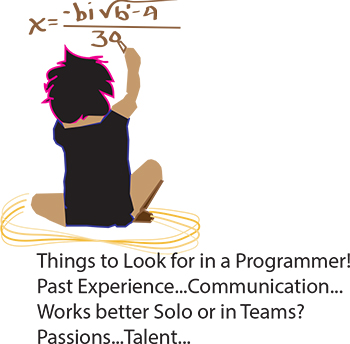 It’s the eternal conundrum of a hiring manager – you have to hire for every single position in the company without any first-hand experience. How to do it? If you can have a trusted programmer sit in on the interview, that’s ideal, of course. But what if you’re hiring your first programmer? Or what if you’re hiring a freelancer? Or what if company policy dictates that you’re the only person allowed to do the interviewing? Well, in that case, you need some helpful advice and your innate bullshit detector. We questioned programmers and hiring managers and compiled a list of dos and don’ts. Here are some things to ask when interviewing programmers:
Past Experience
Ask the programmer about the biggest disaster of his career so far, and how he handled it. Did he come in at midnight to fix the code? Was he unaware of the problem until someone brought it up? Did someone else handle it? According to our programmer sources, “Anyone worth their salt has caused a major meltdown. If they say they haven’t, they’re lying. Or very, very green.” Pushing a code with bugs in it isn’t necessarily bad. Not handling it well is bad.
As usual, your biggest asset is not knowing the field, it is knowing people. Asking about career disasters can be uncomfortable, but if the interviewee is experienced and honest then she won’t have a problem telling you about it, and you will get an idea of how she handles mishaps. Even if you don’t understand what the disaster was or how it was fixed, you should be able to tell how honest she’s being and how she handles being put on the spot.
 One of the biggest challenges faced by senior IT professionals in organizations is the choice of the right software vendor. In the highly competitive enterprise software industry, there are lot of vendors who claim to offer the best software for the problem and it can be really daunting to narrow down the best choice. Additionally, enterprise software costs can often run into millions of dollars thereby leaving very little margin of error. The real cost of choosing a wrong software can often result into losses much more than the cost of the software itself as highlighted by software disasters experienced by leading companies like HP, Nike etc. In such a scenario, senior IT professionals despite years of expertise can find it very difficult to choose the right business software vendor for their organization.
Here are some of the proven ways of short-listing and selecting the right business software vendor for your organization,
· Understand and Define The Exact Need First: Before embarking on a journey to select the software vendor, it is critical to understand and define the exact problem you want the software to solve. The paramount question to be asked is what business objective does the software need to solve. Is the software required to “reduce costs” or is it to “improve productivity”? Extracting and defining this fundamental question is the bare minimum but necessary step to go searching for the right vendor. It will then form the basis of comparing multiple vendors on this very need that your organization has and will help drive the selection process going forward. The detailed approach involves creating a set of parameters that the software needs to meet in order to be considered. In fact, consider categorizing these parameters further in “must-haves”, “good to have” etc. which will help you assign relevant weights to these parameter and how the software’s fare on each of these parameters
· Building The List of Vendors Who Meet The Need: Once you have defined your need and distilled that need into various parameters, it’s time to built the list of vendors who you think will meet the need. This is akin to a lead generation model wherein you want to identify a large enough pool and then filters your list down to the best ones. There are multiple ways of building a list of vendors and more often than not, you must use a combination of these methods to build a good enough list.
o Use Industry Reports: We discussed the IT intelligence offered by leading industry firms Gartner and Forrester in How To Keep On Top Of Latest Trends In Information Technology. These firms based on their access to leading software vendors and CIO network publish vendor comparison research reports across specific verticals as well as specific technologies. Gartner’s Magic Quadrant and Forrester’s Wave are a very good starting point to get an insight into the best software vendors. For example, if you were looking for a CRM solution, you could look for Gartner’s Magic Quadrant for CRM and look at the vendors that make the list. These reports can be pricey but well worth the money if you are going to invest hundreds of thousands in the software. Having said that, you don’t have to trust these report blindly because how these firms define the best software may not match how you define the best software for your organization
o Competitive Intelligence: If you are a smart professional, you are already keeping tabs of your competition. Chances are that if you are a big organization, you might see a Press Release either from your competitor or their vendor announcing the implementation of new software. Extrapolate that across 5-10 key competitors of yours and you might discover the vendors that your competitors are choosing. This gives you a good indicator that the vendors used by your competitors must be offering something right.
Tech Life in Virginia
| Company Name | City | Industry | Secondary Industry |
|---|---|---|---|
| Brink's Inc. | Richmond | Business Services | Security Services |
| Federal Home Loan Mortgage Corporation (Freddie Mac) | Mc Lean | Financial Services | Lending and Mortgage |
| General Dynamics Corporation | Falls Church | Manufacturing | Aerospace and Defense |
| CarMax, Inc. | Henrico | Retail | Automobile Dealers |
| NVR, Inc. | Reston | Real Estate and Construction | Construction and Remodeling |
| Gannett Co., Inc. | Mc Lean | Media and Entertainment | Newspapers, Books and Periodicals |
| Smithfield Foods, Inc. | Smithfield | Manufacturing | Food and Dairy Product Manufacturing and Packaging |
| ManTech International Corporation | Fairfax | Computers and Electronics | IT and Network Services and Support |
| DynCorp International | Falls Church | Manufacturing | Aerospace and Defense |
| Genworth Financial, Inc. | Richmond | Financial Services | Insurance and Risk Management |
| MeadWestvaco Corporation | Richmond | Manufacturing | Paper and Paper Products |
| Dollar Tree, Inc. | Chesapeake | Retail | Department Stores |
| Alpha Natural Resources, Inc. | Abingdon | Agriculture and Mining | Mining and Quarrying |
| SRA International, Inc. | Fairfax | Business Services | Business Services Other |
| NII Holdings, Inc. | Reston | Telecommunications | Wireless and Mobile |
| Dominion Resources, Inc. | Richmond | Energy and Utilities | Gas and Electric Utilities |
| Norfolk Southern Corporation | Norfolk | Transportation and Storage | Freight Hauling (Rail and Truck) |
| CACI International Inc. | Arlington | Software and Internet | Data Analytics, Management and Storage |
| Amerigroup Corporation | Virginia Beach | Financial Services | Insurance and Risk Management |
| Owens and Minor, Inc. | Mechanicsville | Healthcare, Pharmaceuticals and Biotech | Personal Health Care Products |
| Advance Auto Parts, Inc | Roanoke | Retail | Automobile Parts Stores |
| SAIC | Mc Lean | Software and Internet | Software |
| AES Corporation | Arlington | Energy and Utilities | Gas and Electric Utilities |
| Capital One Financial Corporation | Mc Lean | Financial Services | Credit Cards and Related Services |
| Sunrise Senior Living, Inc. | Mc Lean | Healthcare, Pharmaceuticals and Biotech | Residential and Long-Term Care Facilities |
| Computer Sciences Corporation | Falls Church | Software and Internet | Software |
| Altria Group, Inc. | Richmond | Manufacturing | Manufacturing Other |
| Northrop Grumman Corporation | Falls Church | Manufacturing | Aerospace and Defense |
| Alliant Techsystems Inc. | Arlington | Manufacturing | Aerospace and Defense |
| Markel Corporation | Glen Allen | Financial Services | Insurance and Risk Management |
training details locations, tags and why hsg
The Hartmann Software Group understands these issues and addresses them and others during any training engagement. Although no IT educational institution can guarantee career or application development success, HSG can get you closer to your goals at a far faster rate than self paced learning and, arguably, than the competition. Here are the reasons why we are so successful at teaching:
- Learn from the experts.
- We have provided software development and other IT related training to many major corporations in Virginia since 2002.
- Our educators have years of consulting and training experience; moreover, we require each trainer to have cross-discipline expertise i.e. be Java and .NET experts so that you get a broad understanding of how industry wide experts work and think.
- Discover tips and tricks about Microsoft Office programming
- Get your questions answered by easy to follow, organized Microsoft Office experts
- Get up to speed with vital Microsoft Office programming tools
- Save on travel expenses by learning right from your desk or home office. Enroll in an online instructor led class. Nearly all of our classes are offered in this way.
- Prepare to hit the ground running for a new job or a new position
- See the big picture and have the instructor fill in the gaps
- We teach with sophisticated learning tools and provide excellent supporting course material
- Books and course material are provided in advance
- Get a book of your choice from the HSG Store as a gift from us when you register for a class
- Gain a lot of practical skills in a short amount of time
- We teach what we know…software
- We care…