
JUnit, TDD, CPTC, Web Penetration Training Classes in Maple Grove, Minnesota
Learn JUnit, TDD, CPTC, Web Penetration in Maple Grove, Minnesota and surrounding areas via our hands-on, expert led courses. All of our classes either are offered on an onsite, online or public instructor led basis. Here is a list of our current JUnit, TDD, CPTC, Web Penetration related training offerings in Maple Grove, Minnesota: JUnit, TDD, CPTC, Web Penetration Training
JUnit, TDD, CPTC, Web Penetration Training Catalog
subcategories
Android and iPhone Programming Classes
Course Directory [training on all levels]
- .NET Classes
- Agile/Scrum Classes
- AI Classes
- Ajax Classes
- Android and iPhone Programming Classes
- Azure Classes
- Blaze Advisor Classes
- C Programming Classes
- C# Programming Classes
- C++ Programming Classes
- Cisco Classes
- Cloud Classes
- CompTIA Classes
- Crystal Reports Classes
- Data Classes
- Design Patterns Classes
- DevOps Classes
- Foundations of Web Design & Web Authoring Classes
- Git, Jira, Wicket, Gradle, Tableau Classes
- IBM Classes
- Java Programming Classes
- JBoss Administration Classes
- JUnit, TDD, CPTC, Web Penetration Classes
- Linux Unix Classes
- Machine Learning Classes
- Microsoft Classes
- Microsoft Development Classes
- Microsoft SQL Server Classes
- Microsoft Team Foundation Server Classes
- Microsoft Windows Server Classes
- Oracle, MySQL, Cassandra, Hadoop Database Classes
- Perl Programming Classes
- Python Programming Classes
- Ruby Programming Classes
- SAS Classes
- Security Classes
- SharePoint Classes
- SOA Classes
- Tcl, Awk, Bash, Shell Classes
- UML Classes
- VMWare Classes
- Web Development Classes
- Web Services Classes
- Weblogic Administration Classes
- XML Classes
- AWS Certified Machine Learning: Specialty (MLS-C01)
2 November, 2026 - 6 November, 2026 - RED HAT ENTERPRISE LINUX SYSTEMS ADMIN II
2 November, 2026 - 5 November, 2026 - Enterprise Linux System Administration
21 September, 2026 - 25 September, 2026 - RED HAT ENTERPRISE LINUX AUTOMATION WITH ANSIBLE
9 November, 2026 - 12 November, 2026 - RED HAT ENTERPRISE LINUX SYSTEMS ADMIN I
26 October, 2026 - 30 October, 2026 - See our complete public course listing
Blog Entries publications that: entertain, make you think, offer insight
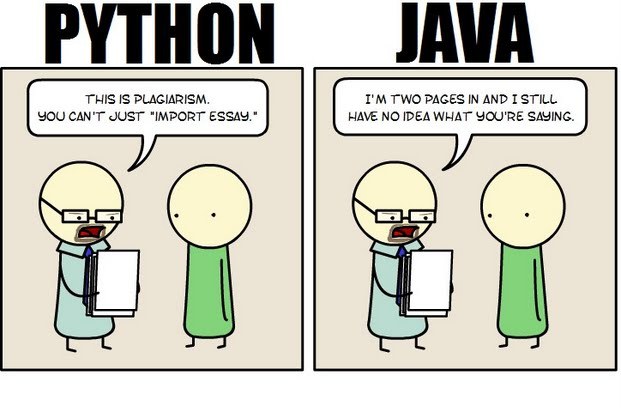 Java still has its place in the world of software development, but is it quickly becoming obsolete by the more dynamically enabled Python programming language? The issue is hotly contested by both sides of the debate. Java experts point out that Java is still being developed with more programmer friendly updates. Python users swear that Java can take up to ten times longer to develop. Managers that need to make the best decision for a company need concrete information so that an informed and rational decision can be made.
First, Java is a static typed language while Python is dynamically typed. Static typed languages require that each variable name must be tied to both a type and an object. Dynamically typed languages only require that a variable name only gets bound to an object. Immediately, this puts Python ahead of the game in terms of productivity since a static typed language requires several elements and can make errors in coding more likely.
Python uses a concise language while Java uses verbose language. Concise language, as the name suggests, gets straight to the point without extra words. Removing additional syntax can greatly reduce the amount of time required to program. A simple call in Java, such as the ever notorious "Hello, World" requires three several lines of coding while Python requires a single sentence. Java requires the use of checked exceptions. If the exceptions are not caught or thrown out then the code fails to compile. In terms of language, Python certainly has surpassed Java in terms of brevity.
Additionally, while Java's string handling capabilities have improved they haven't yet matched the sophistication of Python's. Web applications rely upon fast load times and extraneous code can increase user wait time. Python optimizes code in ways that Java doesn't, and this can make Python a more efficient language. However, Java does run faster than Python and this can be a significant advantage for programmers using Java. When you factor in the need for a compiler for Java applications the speed factor cancels itself out leaving Python and Java at an impasse.
While a programmer will continue to argue for the language that makes it easiest based on the programmer's current level of knowledge, new software compiled with Python takes less time and provides a simplified coding language that reduces the chance for errors. When things go right, Java works well and there are no problems. However, when errors get introduced into the code, it can become extremely time consuming to locate and correct those errors. Python generally uses less code to begin with and makes it easier and more efficient to work with.
Ultimately, both languages have their own strengths and weaknesses. For creating simple applications, Python provides a simpler and more effective application. Larger applications can benefit from Java and the verbosity of the code actually makes it more compatible with future versions. Python code has been known to break with new releases. Ultimately, Python works best as a type of connecting language to conduct quick and dirty work that would be too intensive when using Java alone. In this sense, Java is a low-level implementation language. While both languages are continuing to develop, it's unlikely that one language will surpass the other for all programming needs in the near future.
It’s befuddling when you think about how many ways there are to communicate in 2013. I’d say there are too many new ways to communicate – social media, phone, Skype, instant message, text message, email, it goes on and on. But do any of them outweigh the power of a good old-fashioned face-to-face meeting? Most business executives would argue no. Nothing can replace a face-to-face meeting, at least yet.
That said, face-to-face meetings are without question the most expensive kind, given the travel costs required to make them a reality, and companies around the globe have been trying to make them more financially manageable ever since the recession set in. But recession or no, face-to-face meetings are rarely in the budget cards for small businesses. So how can entrepreneurs around the globe get more out of their virtual meetings while ensuring any physical meeting is worth the cost?
There are a lot of articles you will find on the internet that talk about the tenants of having a successful professional career. From soft-skills to job relevant skills, there is an unending list of the do’s and don’ts for establishing a great career. However, a successful career in information technology commands some specific efforts and focus. As a result, it is critical to focus on these 4 key tenants that can help you establish a promising and successful career in Information Technology.
· Be Multi-lingual– This is the analogy of Steve Job’s famous quote ‘Stay Hungry, Stay Foolish’ as it applies to Information Technology. Gone are the days when you could train yourself on a specific programming language say Java or C++ and code your way to a successful career. The best programmers of today and tomorrow are pushing the limits and becoming experts in one of more languages. Knowing more than one programming language instantly makes you more employable since you can add value to multiple projects that require different languages. If you need proof, IT professionals knowing more than one language can attract a salary premium of £10,000 . Additionally, there is no telling how dynamic technology is and by being open to constantly learning new languages you will position yourself to get technology jobs that did not exist a few years ago
· Go Beyond the ‘How’, Focus On ‘Why’: A common theme with most information technology professionals is their ability to figure out the HOW or, in other words, applying their technical know-how in achieving the solution to a problem. This is especially true when you are working for a service based IT organization where your key job is to develop a solution for the client’s business problem. Yes, you are and will get paid to be good at the ‘How’ but to advance a career in IT; it will help you immensely to also start focussing on the ‘Why’. This stems from a famous quote by Einsten “If I were given one hour to save the planet, I would spend 59 minutes defining the problem and one minute resolving it”. In essence, spend time in understanding ‘Why’ are your trying to solve the problem before you get down with figuring out the ‘How’ part. The reasons for developing this mindset are two-fold. One, you will instantly distinguish yourself from thousands of other IT peers who are content with the ‘How’ part. Two, there is a good chance that you want to get ahead in your career not only as a programmer but as a system architect or a business solution consultant. This is where the habit of asking the right questions pertaining to why a certain IT solution is requires will help you build the right solution.
· Focus on the impact and results (Financial impact):This may not apply to IT professionals who are early in their careers but is paramount for senior IT professionals. For the most part, IT departments are required to make sure that the systems and the solutions function as desired and help the business run efficiently. In other words, the key metric for success for most IT professionals is being extremely good at technology, languages and Quality Assurance. However, the times are changing! No longer is the Chief Information Officer (CIO) in charge of making IT decisions. With organizations closely guarding the ROI of their investment in technology, CIOs are increasingly required to be cognizant of the financial benefits of technology so that they can justify the spending on IT. No wonder than that CFOs are increasingly pressurizing CIOs to get their act together
Tech Life in Minnesota
| Company Name | City | Industry | Secondary Industry |
|---|---|---|---|
| The Affluent Traveler | Saint Paul | Travel, Recreation and Leisure | Travel, Recreation, and Leisure Other |
| Xcel Energy Inc. | Minneapolis | Energy and Utilities | Gas and Electric Utilities |
| Thrivent Financial for Lutherans | Minneapolis | Financial Services | Personal Financial Planning and Private Banking |
| CHS Inc. | Inver Grove Heights | Agriculture and Mining | Agriculture and Mining Other |
| Hormel Foods Corporation | Austin | Manufacturing | Food and Dairy Product Manufacturing and Packaging |
| St. Jude Medical, Inc. | Saint Paul | Healthcare, Pharmaceuticals and Biotech | Medical Devices |
| The Mosaic Company | Minneapolis | Agriculture and Mining | Mining and Quarrying |
| Ecolab Inc. | Saint Paul | Manufacturing | Chemicals and Petrochemicals |
| Donaldson Company, Inc. | Minneapolis | Manufacturing | Tools, Hardware and Light Machinery |
| Michael Foods, Inc. | Minnetonka | Manufacturing | Food and Dairy Product Manufacturing and Packaging |
| Regis Corporation | Minneapolis | Retail | Retail Other |
| Fastenal Company | Winona | Wholesale and Distribution | Wholesale and Distribution Other |
| Securian Financial | Saint Paul | Financial Services | Insurance and Risk Management |
| UnitedHealth Group | Minnetonka | Financial Services | Insurance and Risk Management |
| The Travelers Companies, Inc. | Saint Paul | Financial Services | Insurance and Risk Management |
| Imation Corp. | Saint Paul | Computers and Electronics | Networking Equipment and Systems |
| C.H. Robinson Worldwide, Inc. | Eden Prairie | Transportation and Storage | Warehousing and Storage |
| Ameriprise Financial, Inc. | Minneapolis | Financial Services | Securities Agents and Brokers |
| Best Buy Co. Inc. | Minneapolis | Retail | Retail Other |
| Nash Finch Company | Minneapolis | Wholesale and Distribution | Grocery and Food Wholesalers |
| Medtronic, Inc. | Minneapolis | Healthcare, Pharmaceuticals and Biotech | Medical Devices |
| LAND O'LAKES, INC. | Saint Paul | Manufacturing | Food and Dairy Product Manufacturing and Packaging |
| General Mills, Inc. | Minneapolis | Manufacturing | Food and Dairy Product Manufacturing and Packaging |
| Pentair, Inc. | Minneapolis | Manufacturing | Manufacturing Other |
| Supervalu Inc. | Eden Prairie | Retail | Grocery and Specialty Food Stores |
| U.S. Bancorp | Minneapolis | Financial Services | Banks |
| Target Corporation, Inc. | Minneapolis | Retail | Department Stores |
| 3M Company | Saint Paul | Manufacturing | Chemicals and Petrochemicals |
training details locations, tags and why hsg
The Hartmann Software Group understands these issues and addresses them and others during any training engagement. Although no IT educational institution can guarantee career or application development success, HSG can get you closer to your goals at a far faster rate than self paced learning and, arguably, than the competition. Here are the reasons why we are so successful at teaching:
- Learn from the experts.
- We have provided software development and other IT related training to many major corporations in Minnesota since 2002.
- Our educators have years of consulting and training experience; moreover, we require each trainer to have cross-discipline expertise i.e. be Java and .NET experts so that you get a broad understanding of how industry wide experts work and think.
- Discover tips and tricks about JUnit, TDD, CPTC, Web Penetration programming
- Get your questions answered by easy to follow, organized JUnit, TDD, CPTC, Web Penetration experts
- Get up to speed with vital JUnit, TDD, CPTC, Web Penetration programming tools
- Save on travel expenses by learning right from your desk or home office. Enroll in an online instructor led class. Nearly all of our classes are offered in this way.
- Prepare to hit the ground running for a new job or a new position
- See the big picture and have the instructor fill in the gaps
- We teach with sophisticated learning tools and provide excellent supporting course material
- Books and course material are provided in advance
- Get a book of your choice from the HSG Store as a gift from us when you register for a class
- Gain a lot of practical skills in a short amount of time
- We teach what we know…software
- We care…