
XML Training Classes in Charleston, West Virginia
Learn XML in Charleston, WestVirginia and surrounding areas via our hands-on, expert led courses. All of our classes either are offered on an onsite, online or public instructor led basis. Here is a list of our current XML related training offerings in Charleston, West Virginia: XML Training
XML Training Catalog
Course Directory [training on all levels]
- .NET Classes
- Agile/Scrum Classes
- AI Classes
- Ajax Classes
- Android and iPhone Programming Classes
- Azure Classes
- Blaze Advisor Classes
- C Programming Classes
- C# Programming Classes
- C++ Programming Classes
- Cisco Classes
- Cloud Classes
- CompTIA Classes
- Crystal Reports Classes
- Data Classes
- Design Patterns Classes
- DevOps Classes
- Foundations of Web Design & Web Authoring Classes
- Git, Jira, Wicket, Gradle, Tableau Classes
- IBM Classes
- Java Programming Classes
- JBoss Administration Classes
- JUnit, TDD, CPTC, Web Penetration Classes
- Linux Unix Classes
- Machine Learning Classes
- Microsoft Classes
- Microsoft Development Classes
- Microsoft SQL Server Classes
- Microsoft Team Foundation Server Classes
- Microsoft Windows Server Classes
- Oracle, MySQL, Cassandra, Hadoop Database Classes
- Perl Programming Classes
- Python Programming Classes
- Ruby Programming Classes
- SAS Classes
- Security Classes
- SharePoint Classes
- SOA Classes
- Tcl, Awk, Bash, Shell Classes
- UML Classes
- VMWare Classes
- Web Development Classes
- Web Services Classes
- Weblogic Administration Classes
- XML Classes
- RED HAT ENTERPRISE LINUX SYSTEMS ADMIN II
2 November, 2026 - 5 November, 2026 - DOCKER WITH KUBERNETES ADMINISTRATION
30 November, 2026 - 4 December, 2026 - OPENSHIFT ADMINISTRATION
19 October, 2026 - 21 October, 2026 - AWS Certified Machine Learning: Specialty (MLS-C01)
2 November, 2026 - 6 November, 2026 - RED HAT ENTERPRISE LINUX AUTOMATION WITH ANSIBLE
9 November, 2026 - 12 November, 2026 - See our complete public course listing
Blog Entries publications that: entertain, make you think, offer insight
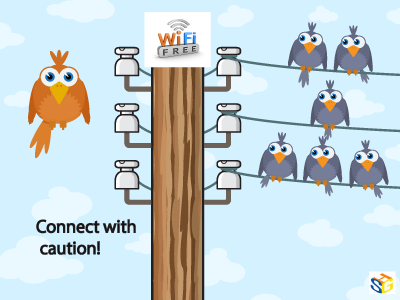
As much as we love to assume free Wi-Fi is secure, this is far from the truth. Because you are attaching to a service many others are connected to as well, without security measures, your device can be hacked, especially if the network is unencrypted. Because this encryption involves handing out a 26-character hexadecimal key to every individual wanting to use that network, most places opt for ease of access over security. And even with a secure network, your information is vulnerable to everyone else who has the password and is on the network.
This may not seem like such a big deal and many people don’t believe they have anything to hide on their personal devices, but remember what you use on those devices. Chances are your e-mail is attached as well as all other social media sites. You may have apps that track your finances or private messages to certain others that you would never want anyone else to see. Luckily, there are steps that can be taken to reduce and prevent any unwanted information grabbers from accessing your personal information.
To start, go through your computer’s settings in order to verify your operating system’s security functions are all set to offer the highest protection. Open up the Control Panel and double check that your Firewall is enabled for both private and public networks. Then, go to Network and Sharing to open Change advanced sharing settings. In here, you can turn off file and printer sharing and network discovery for public networks.
One of the most important things to watch for is HTTPS. Hypertext Transfer Protocol Secure ensures secure communication across the web. Many of the major email systems use this when you log in (as another layer of password protection) but drop the security as soon as the login is complete. To keep this going, HTTPS Everywhere is a browser extension that gives you a secure connection when browsing some of the more popular sites. It can also be programmed for other sites you like to visit that don’t use HTTPS.
Not every place on the internet provides the choice of HTTPS, and VPNs are there to fill in the security gap. Virtual Private Networks allows data to be sent and received through public access points as if it were directly connected to a secure network. Many businesses offer this for company devices, but if you are an individual looking for that kind of security, ProXPN is a free version that can be upgraded. Unfortunately, it limits your speed, but other choices include VPNBook, OpenVPN Shield Exchange, and OkayFreedom.
With these three steps implemented, secure public Wi-Fi can be achieved. No longer will you have to worry about connecting in an unsure environment with strangers, never knowing if your information is being stolen. With all of the options free of charge, it is also an affordable means of protecting yourself that only takes a little time and effort to implement and guarantee safety.
Net Neutrality for the Layperson
What are a few unique pieces of career advice that nobody ever mentions?
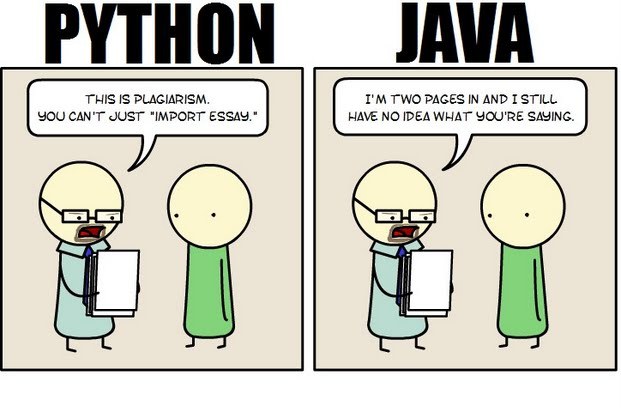 Java still has its place in the world of software development, but is it quickly becoming obsolete by the more dynamically enabled Python programming language? The issue is hotly contested by both sides of the debate. Java experts point out that Java is still being developed with more programmer friendly updates. Python users swear that Java can take up to ten times longer to develop. Managers that need to make the best decision for a company need concrete information so that an informed and rational decision can be made.
First, Java is a static typed language while Python is dynamically typed. Static typed languages require that each variable name must be tied to both a type and an object. Dynamically typed languages only require that a variable name only gets bound to an object. Immediately, this puts Python ahead of the game in terms of productivity since a static typed language requires several elements and can make errors in coding more likely.
Python uses a concise language while Java uses verbose language. Concise language, as the name suggests, gets straight to the point without extra words. Removing additional syntax can greatly reduce the amount of time required to program. A simple call in Java, such as the ever notorious "Hello, World" requires three several lines of coding while Python requires a single sentence. Java requires the use of checked exceptions. If the exceptions are not caught or thrown out then the code fails to compile. In terms of language, Python certainly has surpassed Java in terms of brevity.
Additionally, while Java's string handling capabilities have improved they haven't yet matched the sophistication of Python's. Web applications rely upon fast load times and extraneous code can increase user wait time. Python optimizes code in ways that Java doesn't, and this can make Python a more efficient language. However, Java does run faster than Python and this can be a significant advantage for programmers using Java. When you factor in the need for a compiler for Java applications the speed factor cancels itself out leaving Python and Java at an impasse.
While a programmer will continue to argue for the language that makes it easiest based on the programmer's current level of knowledge, new software compiled with Python takes less time and provides a simplified coding language that reduces the chance for errors. When things go right, Java works well and there are no problems. However, when errors get introduced into the code, it can become extremely time consuming to locate and correct those errors. Python generally uses less code to begin with and makes it easier and more efficient to work with.
Ultimately, both languages have their own strengths and weaknesses. For creating simple applications, Python provides a simpler and more effective application. Larger applications can benefit from Java and the verbosity of the code actually makes it more compatible with future versions. Python code has been known to break with new releases. Ultimately, Python works best as a type of connecting language to conduct quick and dirty work that would be too intensive when using Java alone. In this sense, Java is a low-level implementation language. While both languages are continuing to develop, it's unlikely that one language will surpass the other for all programming needs in the near future.
Businesses “Going Green” is so commonplace now it’s more than just an encouraging a trend; it’s become expected of companies big and small. In fact, consumers frequently place more of an obligation on companies to go green than they do themselves. The last few years—the infancy of what may turn out to be a green revolution—have really proven that there are many ways to go green, and that some of these ways are much more financially sound than others. But rather than providing a cut and dry list of green options and their pros and cons, I’d like to take a look at the bigger picture incentives for businesses going green and how consumers are responding.
What does it mean to be green?
 In programming, memory leaks are a common issue, and it occurs when a computer uses memory but does not give it back to the operating system. Experienced programmers have the ability to diagnose a leak based on the symptoms. Some believe every undesired increase in memory usage is a memory leak, but this is not an accurate representation of a leak. Certain leaks only run for a short time and are virtually undetectable.
Memory Leak Consequences
Applications that suffer severe memory leaks will eventually exceed the memory resulting in a severe slowdown or a termination of the application.
How to Protect Code from Memory Leaks?
Preventing memory leaks in the first place is more convenient than trying to locate the leak later. To do this, you can use defensive programming techniques such as smart pointers for C++. A smart pointer is safer than a raw pointer because it provides augmented behavior that raw pointers do not have. This includes garbage collection and checking for nulls.
If you are going to use a raw pointer, avoid operations that are dangerous for specific contexts. This means pointer arithmetic and pointer copying. Smart pointers use a reference count for the object being referred to. Once the reference count reaches zero, the excess goes into garbage collection. The most commonly used smart pointer is shared_ptr from the TR1 extensions of the C++ standard library.
Static Analysis
The second approach to memory leaks is referred to as static analysis and attempts to detect errors in your source-code. CodeSonar is one of the effective tools for detection. It provides checkers for the Power of Ten coding rules, and it is especially competent at procedural analysis. However, some might find it lagging for bigger code bases.
How to Handle a Memory Leak
For some memory leaks, the only solution is to read through the code to find and correct the error. Another one of the common approaches to C++ is to use RAII, which an acronym for Resource Acquisition Is Initialization. This approach means associating scoped objects using the acquired resources, which automatically releases the resources when the objects are no longer within scope. RAII has the advantage of knowing when objects exist and when they do not. This gives it a distinct advantage over garbage collection. Regardless, RAII is not always recommended because some situations require ordinary pointers to manage raw memory and increase performance. Use it with caution.
The Most Serious Leaks
Urgency of a leak depends on the situation, and where the leak has occurred in the operating system. Additionally, it becomes more urgent if the leak occurs where the memory is limited such as in embedded systems and portable devices.
To protect code from memory leaks, people have to stay vigilant and avoid codes that could result in a leak. Memory leaks continue until someone turns the system off, which makes the memory available again, but the slow process of a leak can eventually prejudice a machine that normally runs correctly.
Related:
Tech Life in West Virginia
training details locations, tags and why hsg
The Hartmann Software Group understands these issues and addresses them and others during any training engagement. Although no IT educational institution can guarantee career or application development success, HSG can get you closer to your goals at a far faster rate than self paced learning and, arguably, than the competition. Here are the reasons why we are so successful at teaching:
- Learn from the experts.
- We have provided software development and other IT related training to many major corporations in West Virginia since 2002.
- Our educators have years of consulting and training experience; moreover, we require each trainer to have cross-discipline expertise i.e. be Java and .NET experts so that you get a broad understanding of how industry wide experts work and think.
- Discover tips and tricks about XML programming
- Get your questions answered by easy to follow, organized XML experts
- Get up to speed with vital XML programming tools
- Save on travel expenses by learning right from your desk or home office. Enroll in an online instructor led class. Nearly all of our classes are offered in this way.
- Prepare to hit the ground running for a new job or a new position
- See the big picture and have the instructor fill in the gaps
- We teach with sophisticated learning tools and provide excellent supporting course material
- Books and course material are provided in advance
- Get a book of your choice from the HSG Store as a gift from us when you register for a class
- Gain a lot of practical skills in a short amount of time
- We teach what we know…software
- We care…