
SharePoint Training Classes in Jacksonville, North Carolina
Learn SharePoint in Jacksonville, NorthCarolina and surrounding areas via our hands-on, expert led courses. All of our classes either are offered on an onsite, online or public instructor led basis. Here is a list of our current SharePoint related training offerings in Jacksonville, North Carolina: SharePoint Training
SharePoint Training Catalog
Course Directory [training on all levels]
- .NET Classes
- Agile/Scrum Classes
- AI Classes
- Ajax Classes
- Android and iPhone Programming Classes
- Azure Classes
- Blaze Advisor Classes
- C Programming Classes
- C# Programming Classes
- C++ Programming Classes
- Cisco Classes
- Cloud Classes
- CompTIA Classes
- Crystal Reports Classes
- Data Classes
- Design Patterns Classes
- DevOps Classes
- Foundations of Web Design & Web Authoring Classes
- Git, Jira, Wicket, Gradle, Tableau Classes
- IBM Classes
- Java Programming Classes
- JBoss Administration Classes
- JUnit, TDD, CPTC, Web Penetration Classes
- Linux Unix Classes
- Machine Learning Classes
- Microsoft Classes
- Microsoft Development Classes
- Microsoft SQL Server Classes
- Microsoft Team Foundation Server Classes
- Microsoft Windows Server Classes
- Oracle, MySQL, Cassandra, Hadoop Database Classes
- Perl Programming Classes
- Python Programming Classes
- Ruby Programming Classes
- SAS Classes
- Security Classes
- SharePoint Classes
- SOA Classes
- Tcl, Awk, Bash, Shell Classes
- UML Classes
- VMWare Classes
- Web Development Classes
- Web Services Classes
- Weblogic Administration Classes
- XML Classes
- OpenShift Fundamentals
5 October, 2026 - 7 October, 2026 - DOCKER WITH KUBERNETES ADMINISTRATION
28 September, 2026 - 2 October, 2026 - RED HAT ENTERPRISE LINUX SYSTEMS ADMIN II
2 November, 2026 - 5 November, 2026 - Linux Troubleshooting
31 August, 2026 - 4 September, 2026 - Linux Fundaments GL120
14 September, 2026 - 18 September, 2026 - See our complete public course listing
Blog Entries publications that: entertain, make you think, offer insight
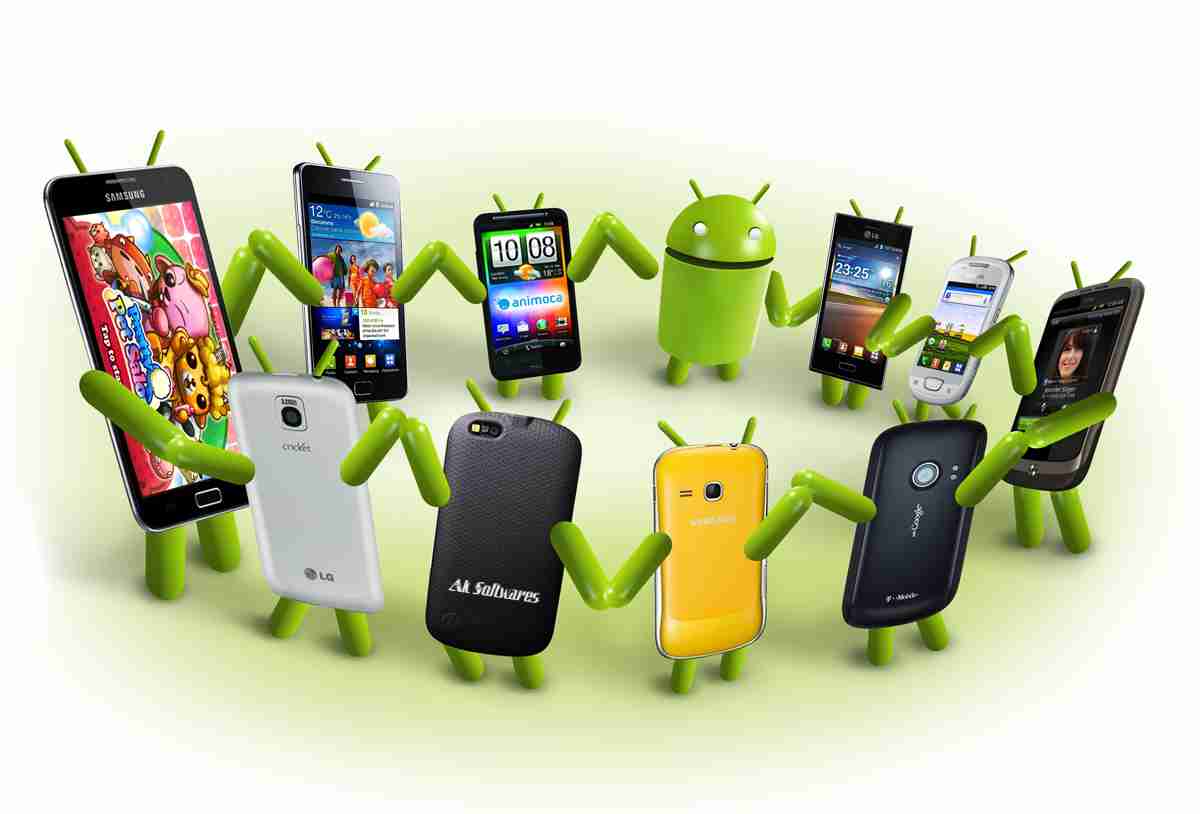 With the skyrocketing popularity of Android and iOS operating systems, software developers got a whole new arena opened up. Many of the programmers have progressed to concentrate solely onto Mobile Technology Development. This is mainly due to the high demand as well as numerous lucrative ideas left to explore in the Mobile App world.
Exponential growth of smartphone users
As per the survey by eMarketer, the number of smartphone users across the globe crossed 1 billion almost two years ago. The expected number of smartphone users by 2014 end is 1.75 billion.
With smartphones, iPads and Tablets getting more accessible and less expensive day by day, the development potential for mobile apps is truly vast. The under-penetration in emerging markets like India and China in Asia shows that there seems to still a lot of steam left in the mobile app development industry.
Although reports made in May 2010 indicate that Android had outsold Apple iPhones, more recent and current reports of the 2nd quarter of 2011 made by National Purchase Diary (NPD) on Mobile Phone Track service, which listed the top five selling smartphones in the United States for the months of April-June of 2011, indicate that Apple's iPhone 4 and iPhone 3GS outsold other Android phones on the market in the U. S. for the third calendar quarter of 2011. This was true for the previous quarter of the same year; The iPhone 4 held the top spot. The fact that the iPhone 4 claimed top spot does not come as a surprise to the analysts; rather, it is a testament to them of how well the iPhone is revered among consumers. The iPhone 3GS, which came out in 2009 outsold newer Android phones with higher screen resolutions and more processing power. The list of the five top selling smartphones is depicted below:
- Apple iPhone 4
- Apple iPhone 3GS
- HTC EVO 4G
- Motorola Droid 3
- Samsung Intensity II[1]
Apple’s iPhone also outsold Android devices7.8:1 at AT&T’s corporate retail stores in December. A source inside the Apple company told The Mac Observer that those stores sold some 981,000 iPhones between December 1st and December 27th 2011, and that the Apple device accounted for some 66% of all device sales during that period (see the pie figure below) . Android devices, on the other hand, accounted for just 8.5% of sales during the same period.
According to the report, AT&T sold approximately 981,000 iPhones through AT&T corporate stores in the first 27 days of December, 2011 while 126,000 Android devices were sold during the same period. Even the basic flip and slider phones did better than Android, with 128,000 units sold.[2] However, it is important to understand that this is a report for one particular environment at a particular period in time. As the first iPhone carrier in the world, AT&T has been the dominant iPhone carrier in the U.S. since day one, and AT&T has consistently claimed that the iPhone is its best selling device.

Chart courtesy of Mac Observer: http://www.macobserver.com/tmo/article/iphone_crushes_android_at_att_corporate_stores_in_december/
A more recent report posted in ismashphone.com, dated January 25 2012, indicated that Apple sold 37 million iPhones in Q4 2011. It appears that the iPhone 4S really helped take Apple’s handset past competing Android phones. According to research firm Kantar Worldpanel ComTech, Apple’s U.S. smartphone marketshare has doubled to 44.9 percent.[3] Meanwhile, Android marketshare in the U.S. dropped slightly to 44.8 percent. This report means that the iPhone has edged just a little bit past Android in U.S. marketshare. This is occurred after Apple’s Q1 2012 conference call, which saw themselling 37 million handsets. Meanwhile, it’s reported that marketers of Android devices, such as Motorola Mobility, HTC and Sony Ericsson saw drops this quarter.

If you're someone who's interested in computer programming, chances are you've considered pursuing a career in it. However, being a computer programmer is definitely not for everyone, as it takes some special characteristics to succeed as a computer programmer.
Good at Math
While you don't have to be a math genius in order to be a good computer programmer, being good at math really does help. In general, as long as you know your trigonometry and advanced high school algebra, you should be set for programming.
However, in a few instances, knowledge of more advanced math ends up being necessary. For example, for shader programming, you should be familiar with integration of multiple variables, matrix algebra, and basic differentiation. You will also require considerable math skills in order to program 3D.
Excellent Problem Solver
To be a successful computer programmer, you definitely need to be an excellent problem solver. It is vital for a computer programmer to break a problem down into small parts. They must then be able to decide the best way to approach individual pieces of the problem. Computer programmers also need to know how to anticipate and prevent potential problems. While problem-solving, they also need to keep in mind things like user experience and performance.
If you're not a good problem solver, knowing a particular language and syntax will be useless if you can't even identify the problem at hand. Therefore, excellent problem solving skills are a critical foundation for computer programming.
Patience
If you are not a patient person, you will quickly become very frustrated with computer programming. Problem-solving is not always easy and fast. In fact, it may take a very long time, especially if you're either inexperienced or working on an especially hard project.
Debugging after the coding process is also very frustrating and tedious. No matter how hard you try, you will always have bugs in your coding, and these bugs, while often easy to fix, tend to be very difficult to detect. Therefore, you will end up spending a lot of your time searching for bugs that take very little time to fix.
Well-Rounded Skills
Generally, computer programmers who are very skilled in one area tend to stick around longer than jack-of-all-trades, as specialized programmers are harder to replace with outsourcing than general programmers. Therefore, it will do you well to specialize in one area of computer programming.
However, while specializing is good, you should still know at least a little about everything, especially skills that relate to the area you specialize in. For example, if you're a core Java programmer, you should know about SQL programming and ideally a scripting language or some regular expressions.
As you can see, not everyone has what it takes to pursue computer programming as a career and succeed at it. In fact, just because you love to program doesn't mean it's a good career choice for you. However, if you feel that you possess all the characteristics listed above, then you should definitely consider computer programming as a career.
- The IRS is enabling taxpayers to download their tax transcripts over the internet from the Internal Revenue Service. The official secure URL for the transcripts download followed immediately after The White House fact sheet confirmed the decision. According to the Tech Crunch You Can Now Download Your Tax Returns From The IRS article, there are some minor bug issues when registering. Given that security has long been problematic with the IRS, the best course of action for the public is to take some precautions when downloading personal information on mobile devices, pc’s and laptops. Installing disk encryption software on all your devices will protect your files reduce risk
- Have an awesome Start-Up with products in ‘stealth or private beta” that you want like to pitch for a chance to get a table at Disrupt NY? TechCrunch is heading to Atlanta and New Orleans February 18th and 20th 2014 and will host a beer fest night in exchange for your thoughts and pitches. Tickets are $5, and all entrepreneurs, investors, dreamers or tech enthusiast are welcome.
- Cloutex, a cloud computing future enabler has just secured their first round of seed funding. Cloutex is an Estonian tech startup, which connects and syncs various web applications such as e-marketing, CRM and accounting tools under one convenient hub. The United Partners, SmartCap and EstBan business angels seeded the start-up with $6000, 000.
- Could you get everything important that you need to know about living successfully from a computer program? Ryan Dube seems to think so. In his 6 Life Habits That Programming Could Teach You Today he speaks in flow charts, loops and program modules, in the same breath as paying off debt or buying a house. How can your programming skills help in life skills by modeling some of the same principles?
- 10 Incredibly Simple Things You Can Do To Protect Your PrivacyPassword protect your devices. Put alerts on your name in Google; simple tasks that can be significant in protecting your privacy.
- Adobe Brings 3D Printing Support to PhotoshopAmong the latest updates in Adobe, Photoshop users have the ability to design 3D models from scratch as well as being able to toy around with color, shape and angles.
Tech Life in North Carolina
| Company Name | City | Industry | Secondary Industry |
|---|---|---|---|
| Branch Banking and Trust / BBandT | Winston Salem | Financial Services | Banks |
| UTC Aerospace Systems | Charlotte | Manufacturing | Aerospace and Defense |
| R.J. Reynolds Tobacco Company | Winston Salem | Manufacturing | Manufacturing Other |
| Family Dollar Stores, Inc. | Matthews | Retail | Department Stores |
| Duke Energy Corporation | Charlotte | Energy and Utilities | Gas and Electric Utilities |
| Lowe's Companies, Inc. | Mooresville | Retail | Hardware and Building Material Dealers |
| Nucor Corporation | Charlotte | Manufacturing | Metals Manufacturing |
| VF Corporation | Greensboro | Manufacturing | Textiles, Apparel and Accessories |
| Bank of America | Charlotte | Financial Services | Banks |
| Laboratory Corporation of America | Burlington | Healthcare, Pharmaceuticals and Biotech | Diagnostic Laboratories |
| Sonic Automotive, Inc. | Charlotte | Retail | Automobile Dealers |
| SPX Corporation | Charlotte | Manufacturing | Tools, Hardware and Light Machinery |
| The Pantry, Inc. | Cary | Retail | Gasoline Stations |
training details locations, tags and why hsg
The Hartmann Software Group understands these issues and addresses them and others during any training engagement. Although no IT educational institution can guarantee career or application development success, HSG can get you closer to your goals at a far faster rate than self paced learning and, arguably, than the competition. Here are the reasons why we are so successful at teaching:
- Learn from the experts.
- We have provided software development and other IT related training to many major corporations in North Carolina since 2002.
- Our educators have years of consulting and training experience; moreover, we require each trainer to have cross-discipline expertise i.e. be Java and .NET experts so that you get a broad understanding of how industry wide experts work and think.
- Discover tips and tricks about SharePoint programming
- Get your questions answered by easy to follow, organized SharePoint experts
- Get up to speed with vital SharePoint programming tools
- Save on travel expenses by learning right from your desk or home office. Enroll in an online instructor led class. Nearly all of our classes are offered in this way.
- Prepare to hit the ground running for a new job or a new position
- See the big picture and have the instructor fill in the gaps
- We teach with sophisticated learning tools and provide excellent supporting course material
- Books and course material are provided in advance
- Get a book of your choice from the HSG Store as a gift from us when you register for a class
- Gain a lot of practical skills in a short amount of time
- We teach what we know…software
- We care…